Category: <span>Gadgets</span>

Source:https://cdn.mos.cms.futurecdn.net

Imagine standing on the edge of a breathtaking ridge in the Swiss Alps, or navigating a bustling, neon-lit night market in Tokyo. You pull out your top-tier smartphone to capture the moment. Suddenly, a sudden downpour hits, or you trip on an uneven cobblestone, sending your $1,200 phone shattering onto the pavement. Just like that, your epic travel vlog turns into an expensive nightmare, and your creative flow is entirely ruined.

Over my ten years deploying rugged hardware solutions and analyzing mobile imaging pipelines, I have witnessed countless creators break their primary devices trying to force them into environments they weren’t built to survive. In the fast-paced worlds of adventure sports and daily vlogging, relying on delicate gear is a recipe for disaster. The moment I started integrating dedicated action cameras into modern production workflows, the game completely changed.

These tiny, near-indestructible cubes do more than just survive; they capture perspectives that standard cameras simply cannot reach. Let’s unpack exactly how to choose and use these pocket-sized powerhouses to elevate your content.

What Makes Action Cameras a Vlogger’s Secret Weapon?

To appreciate why action cameras are essential, think of them as the visual equivalent of an off-road overland vehicle. Your smartphone or mirrorless camera is like a luxury sports car—sleek, beautiful, and highly capable on a smooth track. But when you want to dive into rough terrain, handle torrential rain, or mount your lens to a fast-moving bicycle handlebar, you need a rugged machine built to take a beating.

The Power of Ultra-Wide Optics

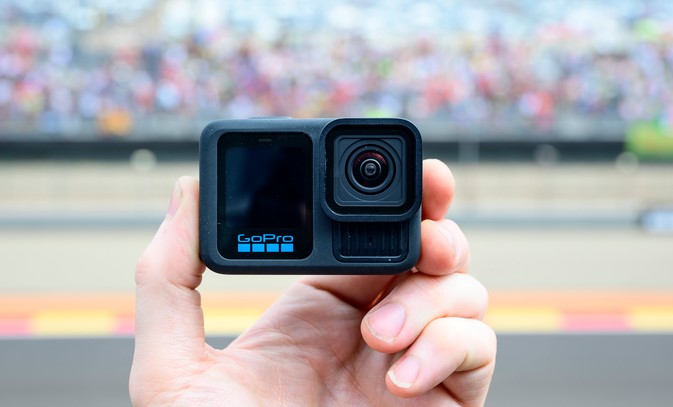
Unlike traditional cameras that require bulky interchangeable glass, an action camera utilizes a specialized fixed ultra-wide lens. This expansive field of view acts just like human peripheral vision, allowing you to capture both your facial expressions and the sweeping landscape behind you without needing an awkwardly long selfie stick.

Electronic Image Stabilization (EIS)

The real magic happening beneath the rugged chassis lies in the stabilization algorithms. Modern action gear uses a combination of internal gyroscopes and real-time cropping to turn shaky, jarring movements into buttery-smooth cinematic sequences.

Decoding the Technical Specs: A Beginner’s Guide

Walking into the camera aisle can feel like drowning in a sea of acronyms. Let’s break down the core specifications you need to look for so you don’t overpay for hype.

Resolution vs. Frame Rates

You will see labels boasting 4K at 120fps or even 5.3K resolution.

  • Resolution (4K/5.3K): This refers to the pixel density. Higher resolution gives you the freedom to crop into your video during editing without losing crispness.

  • Frame Rate (FPS): Standard videos play at 24fps or 30fps. If a camera shoots at 60fps or 120fps, it is capturing more visual information per second, allowing you to slow the footage down into stunning, crisp slow-motion shots.

Sensor Size Matters

In the imaging world, the image sensor is the digital canvas that catches light. For years, these devices suffered in low-light environments because their sensors were tiny. Modern iterations have introduced larger 1-inch or 1/1.3-inch type sensors, dramatically improving how they handle sunset vlogs and moody indoor settings.

The Top Action Cameras for Creators in 2026

The current hardware landscape has crystallized into a few definitive champions, each optimized for different styles of storytelling.

1. The Horizon Locker: Built for Extreme Adventure

For users who plan to skydive, mountain bike, or surf, the market leaders offer unmatched 360-degree Horizon Steady locks. You can literally flip the camera completely upside down mid-air, and the video output remains perfectly level with the earth.

  • Key Strengths: Rugged waterproofing without an external housing, robust front-and-back touchscreens, and ultra-high frame rates for slow-motion breakdown shots.

2. The Vlogger’s Dream: Flip Screens and Modular Audio

If your content is focused on talking directly to your audience while walking through busy streets, look toward modular ecosystems.

  • Key Strengths: Magnetic mounting systems that let you swap the camera from a chest mount to a tripod in half a second, alongside dedicated flip-up screens for perfect shot framing.

  • Low-Light Dominance: Newer models featuring larger sensors excel at preserving skin tones even when city streetlamps are your only light source.

Maximizing Your Action Camera Workflow

Owning the hardware is only half the battle; knowing how to configure it separates amateurs from seasoned pros. Over a decade of field-testing, I’ve refined a streamlined setup process.

Match Your Settings to Your Scene

Activity Type Recommended Resolution Frame Rate (FPS) Stabilization Level
Talking Head / Vlogging 4K 30 fps Standard / High
Action Sports (Biking/Surfing) 4K or 5.3K 60 or 120 fps Maximum / Horizon Lock
Cinematic B-Roll 4K 120 fps Standard

The Golden Audio Rule

The built-in microphones on waterproof action cameras are covered by protective, watertight membranes. While great for preventing water damage, this can make your audio sound muffled, like you are speaking from inside a plastic container.

Pro Tip: If you intend to speak to your audience frequently, invest in a dedicated USB-C wireless microphone adapter or a specialized media mod framework. Crisp audio accounts for more than 50% of perceived video quality!

The Mistakes Retailers Won’t Tell You

Before you pack your bags for your next big trip, keep these two critical operational realities in mind to avoid missing your shots.

The MicroSD Card Bottleneck

You cannot use an old, slow memory card salvaged from an old smartphone. Writing high-bitrate 4K video requires immense speed. Always buy cards labeled as UHS-I U3 or V30/V60. If your card is too slow, your camera will randomly stop recording or overheat and freeze right in the middle of an irreplaceable moment.

The Reality of Battery Depletion

Because these devices are engineered to be incredibly compact, their batteries are naturally small. Expect roughly 60 to 90 minutes of continuous recording per charge. Always carry at least two spare batteries and an external dual-charging cradle in your gear bag so you never run out of juice when the action peaks.

Conclusion: Capture Your World Without Limits

Embracing action cameras isn’t just about adding another piece of tech to your backpack—it’s about unlocking total creative freedom. By removing the fear of damaging your equipment, you open the door to unique angles, immersive stories, and authentic moments that standard cameras simply miss.

Are you getting ready to document an upcoming travel adventure, or are you looking to start a daily vlogging channel from your hometown? What environment are you most excited to throw your camera into? Let me know in the comments below, and let’s get your ultimate rig dialed in!

Gadgets

Source:https://www.mibrofit.com

You wake up at 6:00 AM, lace up your running shoes, and step outside into the crisp morning air. You press “Start” on your wrist, smash your personal 5K record, and head home feeling like an absolute champion. But when you check your health app, it drops a devastating truth bomb: your device completely miscalculated your heart rate zones, missed half your route due to a dropped GPS signal, and now tells you that you burned a grand total of twelve calories.

Over my ten years as a HealthTech writer and workspace deployment specialist, I have tested hundreds of medical-grade sensors and wearables. If there is one piece of advice I find myself constantly repeating to clients, athletes, and friends alike, it is this: bad data is worse than no data.

In 2026, smartwatches for fitness have transcended beyond simple step-counters. They are now deeply integrated ecosystem hubs that act as digital health coaches on your wrist. Whether you are a beginner looking to move more or an intermediate runner eyeing a half-marathon, picking the right partner for your wrist is the ultimate productivity hack for your body.

The Core Blueprint: How Health Tech Translates Your Body

To truly understand how modern smartwatches for fitness work, think of your wearable as a dedicated translator. Your body speaks in biological whispers—micro-fluctuations in blood flow, skin temperature shifts, and electrical pulses.

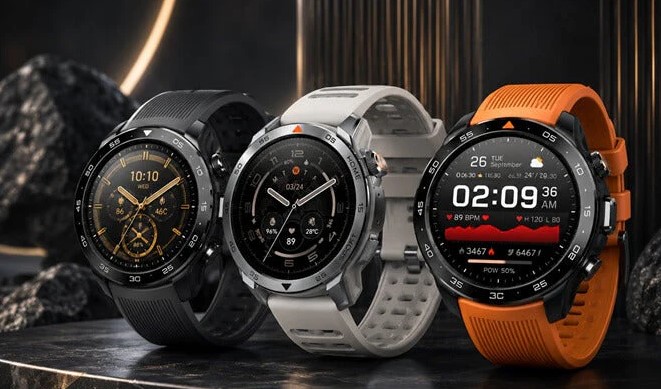
The watch uses a process called photoplethysmography (PPG)—shining light into your blood vessels to measure how fast your heart pumps. It then takes this raw physiological language and converts it into clean, actionable metrics like Vo2 Max, Sleep Quality scores, and heart rate variability (HRV).

When you purchase a high-quality smartwatch, you aren’t just buying a screen; you are investing in the proprietary algorithms that translate those complex numbers into clear instructions on when to push hard and when to rest.

The Heavyweights of 2026: Top Models Reviewed

The wearable market in 2026 has distinct champions tailored to specific ecosystems and user goals. Let’s break down the best options available right now for beginner and intermediate users.

1. Garmin Venu 3: The All-Around Fitness Champion

If your primary focus is pure fitness tracking balanced with everyday lifestyle features, the Garmin Venu 3 remains the gold standard.

  • The Big Draw: It features Garmin’s signature “Body Battery” metric, which calculates your energy levels by analyzing your sleep, stress, and workouts. It tells you precisely how much gas you have left in the tank.

  • Display: A stunning, ultra-bright AMOLED touchscreen that is incredibly easy to read under direct sunlight.

  • Battery Life: Unlike standard smartwatches that die in 24 hours, the Venu 3 easily cruises past a full week on a single charge.

2. Apple Watch Series 11: The Seamless Ecosystem King

For iPhone users who want a device that handles corporate emails just as smoothly as a high-intensity interval training (HIIT) session, the newly released Apple Watch Series 11 is an unmatched powerhouse.

  • Advanced Health Metrics: Building on the clinical success of the previous generation, the Series 11 offers deep Edge-AI wellness tracking, advanced sleep coaching, and FDA-cleared irregular heart rhythm alerts.

  • Precision Tracking: Features enhanced dual-frequency GPS algorithms that ensure your city runs or trail hikes map out perfectly without jagged tracking lines.

  • The Catch: The battery life still hovers around the 1.5 to 2-day mark, meaning a daily charging routine is mandatory.

3. Samsung Galaxy Watch 8: The Android Powerhouse

Samsung has solidified its place as the premier choice for Android and ecosystem loyalists with the Galaxy Watch 8.

  • Body Composition Analysis: This device uses Bioelectrical Impedance Analysis (BIA) to measure your body fat percentage, skeletal muscle mass, and metabolic rate directly from your wrist.

  • AI Coaching: It pairs seamlessly with modern Wear OS architectures to provide automated workout recognition and proactive health notifications.

4. Fitbit Charge 6: The Best Budget Tracker for Beginners

Not everyone wants a bulky mini-computer on their wrist. If you want something lightweight, affordable, and incredibly intuitive, the Fitbit Charge 6 is a stellar pick.

  • Simplicity First: The companion app is arguably the most beginner-friendly platform on the market, translating data into easy-to-read graphs.

  • Feature Rich: Despite its small profile, it packs built-in GPS, Google Wallet, and robust sleep stage tracking.

Side-by-Side: Finding Your Perfect Fitness Match

Choosing a device depends entirely on your phone preference, budget, and how deeply you want to analyze your data.

Smartwatch Model Best Suited For Key Strength Battery Life
Garmin Venu 3 Overall Fitness & Recovery Body Battery & Sensor Accuracy Up to 10 Days
Apple Watch Series 11 iPhone Users / Smart Features Seamless UI & Advanced Health Eco 36–48 Hours
Samsung Galaxy Watch 8 Android Users / Gym Enthusiasts BIA Body Composition Tracking 40–50 Hours
Fitbit Charge 6 Beginners & Minimalists Simple UI & Long Battery Life Up to 7 Days

Expert Advice: Getting the Most Out of Your Wearable

Buying the tech is only step one. Throughout my years deploying health tracking systems, I have noticed that most users only utilize about 10% of their device’s actual capabilities.

Pro Tip: Dial In Your Sleep Windows

Most smartwatches use your baseline resting heart rate (RHR) during deep sleep to calculate your daily recovery metrics. If you do not set your accurate, consistent sleep windows inside the app settings, the watch will mistake late-night couch lounging for sleep. This skews your recovery scores and gives you inaccurate baseline data.

The Traeger Trap (What to Avoid)

Do not treat your calorie burn estimation as absolute gospel law. No wrist-based wearable can perfectly calculate precise caloric expenditure; they are statistical estimations based on your movement and heart rate. Use the calorie metric as a trend line to measure if you are working harder over time, rather than an exact mathematical number for your diet tracking.

The Pitfalls of Sensor Placement

Before you return a watch because you think the heart rate monitor is broken, make sure you aren’t committing the number one mistake of wearable beginners: poor wrist positioning.

  • The Correct Fit: Your smartwatch should sit roughly one finger-width above your wrist bone (towards your elbow).

  • The Tightness Rule: It needs to be snug enough that it doesn’t slide around when you shake your arm, but not so tight that it leaves deep indentations in your skin.

  • The Sweat Cleanse: Modern optical sensors can easily get blocked by built-up sweat, dead skin cells, or dried workout lotion. Wipe the sensor array on the back of the watch case down with a microfiber cloth at least once a week to keep the optical channel crystal clear.

Conclusion: Take Charge of Your Health Journey

Investing in a proper fitness companion isn’t about chasing tech trends—it’s about building accountability into your everyday life. A great smartwatch doesn’t do the hard work for you, but it shines a bright light on the path to your goals, showing you exactly how your habits change your health.

Are you looking to upgrade your current setup, or are you picking out your very first fitness tracker? What feature matters most to you—battery life, precise GPS mapping, or lifestyle smart features? Drop your thoughts in the comments below, and let’s find the perfect device to supercharge your health journey!

Gadgets

Source:https://cdn.shopify.com

You are rushing to pack your bags for an early morning flight, or perhaps navigating a chaotic day of back-to-back meetings. You reach into your pocket to grab your wireless earbuds, only to find them completely dead. You look down at your desk, greeted by a tangled, frustrating web of Lightning cables, USB-C cords, and micro-USB bricks, none of which seem to be the one you need right now.

A few years ago, my tech gear bag weighed almost five pounds, stuffed entirely with varying charging cables for my phone, watch, and audio gear. Today, my travel setup is dramatically simpler. I carry a single sleek pad, and the moment I sit down, I drop my phone and my earbuds down with a satisfying magnetic click.

Having spent over a decade analyzing consumer electronics and testing battery hardware, I have watched power delivery transform from a clumsy physical necessity into an elegant, background utility. In 2026, the humble wireless charging case has shifted from a premium, optional luxury into an absolute staple of the modern mobile lifestyle.

Whether you are tired of dealing with frayed cables or curious about how safe this technology actually is for your expensive gadgets, let’s explore the world of cable-free power delivery.

The Invisible Bridge: How Cordless Power Works

To understand how a wireless charging case can juice up your devices without a single physical wire touching the battery, let’s use a simple analogy. Think of wireless power like singing a specific song to make a glass cup vibrate across the room.

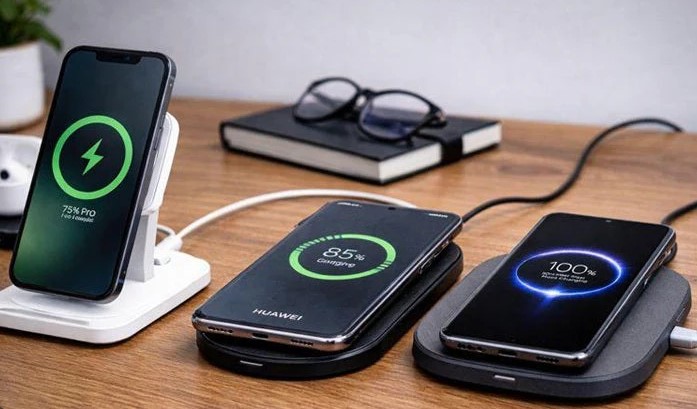
The charging pad on your desk contains a tiny internal transmitter coil made of copper. When plugged into the wall, it starts “singing” an invisible song in the form of a high-frequency magnetic field.

Inside your device’s case, there is a matching receiver coil. The moment you place the case onto the pad, its coil hears that magnetic song and automatically starts vibrating with electrical current. This process is technically known as inductive charging, and it seamlessly converts that magnetic whisper back into pure electricity to top up your battery cell.

Why the Move to a Wireless Charging Case is a Game-Changer

For beginners and intermediate tech users alike, the benefits of upgrading your gear to wireless-enabled enclosures go far beyond just looking futuristic. It fundamentally alters how you maintain your devices.

1. Eliminating Hardware Failure Points

The most common hardware failure I have observed over my ten years in tech isn’t broken screens or corrupted software—it is ruined physical charging ports. Lint from your pockets gets jammed inside, or constant plugging and unplugging wears down the internal metal pins. Moving to a wireless system entirely removes this physical wear and tear.

2. Universal Ecosystem Harmony

For a long time, the tech industry was deeply fragmented by proprietary cables. Today, the world has largely unified around global wireless standards. A single high-quality wireless pad on your nightstand can now charge an Apple device, a Samsung phone, and a premium pair of Sony earbuds without needing a single adapter switch.

3. Smart Power Top-Ups

With standard cables, we tend to wait until our devices hit a critical 10% battery warning before hunting down a cord. A wireless setup encourages a healthier habit: micro-charging. By dropping your case onto a pad while you grab a coffee or reply to an email, your gear is constantly topped up in short, stress-free bursts throughout the day.

+-------------------------+-----------------------------------+-----------------------------------+
| Charging Attribute      | Wired Cable Connection            | Wireless Charging Case            |
+-------------------------+-----------------------------------+-----------------------------------+
| **Physical Wear**       | High (Frayed cables, bent pins)   | Zero (No moving parts or ports)   |
| **Convenience**         | Low (Requires two hands to plug)  | High (Drop-and-go interaction)    |
| **Device Alignment**    | Automatic (Forced by the plug)    | Critical (Needs proper centering) |
+-------------------------+-----------------------------------+-----------------------------------+

Navigating the Tech Jargon: Qi vs. Qi2 and MagSafe

When shopping for a new smartphone or audio accessory, you will run into a wall of technical acronyms. Let’s demystify exactly what you are paying for so you can shop with confidence.

The Baseline: The Qi Standard

Pronounced “chee,” this is the open, global foundation for wireless power transfer used by nearly every major electronics manufacturer. Traditional Qi charging works wonderfully, but it requires you to align your device perfectly over the center of the charging pad. If your cat bumps your nightstand at midnight, your device might shift slightly and fail to charge by morning.

The Upgrade: MagSafe and Qi2 Evolution

To solve the alignment issue, magnetic charging architectures were born. In 2026, the new Qi2 standard has brought magnetic alignment to both Android and Apple devices globally.

These cases feature a ring of integrated magnets embedded around the internal charging coil. The moment you bring your wireless charging case near a compatible pad, it snaps into the absolute perfect position with satisfying force. This perfect alignment prevents energy wastage, dramatically reduces heat, and allows for much faster charging speeds.

Insider Insights: Protecting Your Battery Long-Term

💡 Pro Tip: Ditch the Ultra-Thick Protective Cases

If you purchase a protective rugged cover for your wireless case, ensure it is labeled as MagSafe or Qi2 compatible. If the protective plastic layer is thicker than 3mm to 4mm, or if it contains decorative metal flakes, it will act as an insulating blanket. This forces the internal coils to work significantly harder, creating excessive heat and lowering your charging efficiency.

The most common concern I hear from readers is: “Does wireless charging ruin my battery health?”

The short answer is no, but with a major caveat. The ultimate enemy of any lithium-ion battery cell is excessive heat. Because inductive charging creates a small amount of ambient heat as energy transfers through the air, cheap, uncertified charging pads can cook your device over time.

To protect your investments, always buy power accessories from reputable, certified brands that feature built-in thermal throttling mechanisms and automatic shut-off safety overrides.

Streamlining Your Everyday Carry

We live in a world where our daily devices are meant to serve us, not tie us down to the nearest wall outlet. Transitioning your primary accessories—whether it is your smartphone, your smartwatch, or your daily earbud setup—to a system supported by a wireless charging case is an investment in personal efficiency.

It removes the subtle, daily friction of hunting down cables and managing battery anxiety. By relying on a streamlined, drop-and-go ecosystem, your devices seamlessly recharge themselves in the background of your life, ensuring they are always ready to perform the moment you need them.

What’s Your Workspace Setup?

Are you still holding onto your traditional wired chargers, or have you already transitioned your desk to a completely wireless layout? Have you checked if your current earbud or phone case supports magnetic alignment? Let me know your thoughts and drop your hardware questions in the comments below—let’s build your perfect cable-free setup!

Gadgets

Source:https://images.indianexpress.com

You are standing at the airport baggage carousel, watching the crowd thin out as the conveyor belt slows to a grinding halt. Your suitcase is nowhere to be seen. A wave of helplessness hits your stomach—a feeling shared by millions of travelers every year.

A few years ago, during a hectic tech conference transfer, that exact nightmare happened to me. But instead of panicking at the lost luggage counter, I pulled out my phone, smiled, and told the airline agent exactly which terminal, floor, and baggage room my suitcase was sitting in.

Over my decade-long journey evaluating consumer hardware and wireless networks, I have witnessed smart trackers evolve from quirky, unreliable Bluetooth keyfinders into sophisticated, global recovery networks. Today, these tiny discs are fundamentally rewriting the rules of personal security and asset protection.

Whether you are a chronic key-loser or a frequent flyer looking to safeguard your expensive gear, let’s explore how these intelligent devices work, how to choose the right network, and how to use them safely in 2026.

The Invisible Mesh: How Smart Trackers Actually Work

To understand how a tiny device with a battery the size of a coin can broadcast its location across thousands of miles, let’s use a simple analogy. Think of a smart tracker like a message in a bottle thrown into a massive, crowded digital ocean.

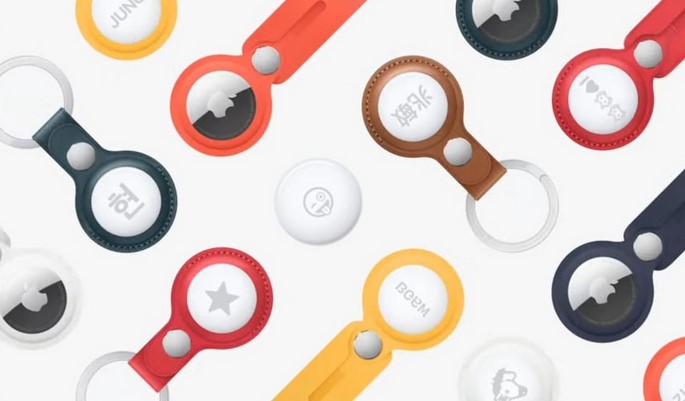
The tracker itself does not have a built-in GPS chip or a costly cellular data plan; doing so would drain its tiny battery in a matter of days. Instead, it constantly whispers a unique cryptographic ping via Bluetooth Low Energy (BLE).

When any stranger walking past happens to have a compatible smartphone in their pocket, their phone securely hears that whisper. The stranger’s phone acts as a digital courier, instantly stamping the location coordinates and uploading them to the cloud. You open your app, and voila—your missing keys appear on the map, even if you are on the other side of the planet.

Choosing Your Digital Ecosystem: Apple vs. Android vs. Tile

The hardware itself is only as powerful as the crowd of smartphones supporting it. When investing in smart trackers, you aren’t just buying a piece of plastic; you are choosing a specific crowdsourced locator network.

1. The Global Giants: Apple Find My Network

Apple’s ecosystem remains an absolute powerhouse due to sheer density. Because every active iPhone, iPad, and Mac participates in the network by default, the tracking resolution is incredibly precise. If you lose an item in a bustling city center, chances are an iPhone will pass within thirty feet of it every few seconds.

2. The Open Horizon: Google Find My Device

Google’s refreshed tracking network has leveled the playing field for Android users. Leveraging billions of Android smartphones worldwide, this network provides exceptional coverage. Third-party manufacturers now build custom tracking tags specifically tailored to integrate directly with Android’s native location architecture.

3. The Cross-Platform Veteran: Tile and Life360

Tile pioneered this entire product category. While it doesn’t boast the automatic OS-level integration of Apple or Google, it bridges the gap perfectly for households split between iOS and Android. Its tracking relies entirely on users who have the dedicated app installed, making it highly effective in dense suburban environments.

+--------------------------+-----------------------------------+-----------------------------------+
| Network Platform         | Primary Strength                  | Ideal User Base                   |
+--------------------------+-----------------------------------+-----------------------------------+
| Apple Find My            | Unparalleled global crowd density | Dedicated iOS/Mac users           |
| Google Find My Device    | Massive worldwide Android reach   | Android ecosystem enthusiasts      |
| Tile / Third-Party Open  | True cross-platform versatility    | Mixed-OS households & platforms   |
+--------------------------+-----------------------------------+-----------------------------------+

Moving Beyond Bluetooth: The Magic of Ultra-Wideband (UWB)

If you have ever tried to find your wallet under a couch cushion, you know standard Bluetooth only tells you that the item is somewhere in the room. This is where Ultra-Wideband (UWB) technology completely changes the game.

Unlike Bluetooth, which estimates distance based on signal strength, UWB operates like a micro-radar system. It measures the exact time it takes for radio waves to travel between your phone and the tracker.

This enables a feature known as Precision Finding. Your smartphone screen transforms into a live compass, showing you exact directional arrows and distance tracking down to the literal inch. It can literally guide your hand straight to the exact crevice where your car keys are hiding.

Insider Insights: Privacy, Stalking Protection, and Safety

💡 Pro Tip: Look for Anti-Stalking Standardization

In 2026, the tech industry has finally unified its security protocols. Major platforms now utilize cross-platform unwanted tracking alerts. If an unknown tracker (regardless of whether it’s an AirTag or an Android-compatible badge) moves with you over a certain duration, your smartphone will alert you automatically and help you locate it.

While I love this technology for securing backpacks and camera gear, we have to talk about the critical dark side: unwanted tracking. Because these devices are so small and effective, bad actors have occasionally weaponized them for stalking.

When setting up your tracking tags, always ensure your phone’s emergency location alerts are turned on. If you ever discover an unknown tracker tucked inside your belongings, you can quickly disable it by twisting the back cover open and popping out the coin-cell battery.

Maximizing the Utility of Your Trackers

To get the absolute most out of your hardware investment, don’t just throw them loosely into a pocket. Here are a few strategic deployment strategies I use personally:

  • The Luggage Infiltration: Don’t hang your tracker on the outside of your suitcase via a flimsy plastic luggage tag where it can be easily ripped off or discarded by baggage handlers. Instead, tuck it deep inside the inner lining fabric or sew it into an interior pocket.

  • The Commuter Bicycle Hidden Mount: Bicycle theft is rampant in urban environments. Specialized manufacturers now create water-bottle cages and reflector mounts with hidden, hollow compartments designed specifically to camouflage a tracking tag out of plain sight.

  • The Digital Wallet Insert: Standard tracking pucks are too thick for a slim wallet. Opt for specialized, credit-card-shaped smart trackers that slide seamlessly into card slots without creating an awkward, bulky bulge.

The Ultimate Peace of Mind

At the end of the day, smart trackers are not a magic forcefield that prevents theft from happening in the first place. What they do provide, however, is an invaluable layer of visibility in an unpredictable world.

They take the frantic guesswork out of daily life, saving you from those stressful mornings spent turning your house upside down looking for your keys, or those anxious flights wondering if your luggage made the connection. For a relatively small one-time investment, you are buying structural peace of mind—and in our fast-paced modern lives, that is worth every penny.

Over to You!

Have you already integrated smart trackers into your daily routine, or are you still on the fence about data privacy concerns? Have you ever had a crazy experience where a tracking tag actually saved your lost gear? Share your stories and drop your questions in the comments below—I’d love to hear how you keep your belongings safe!

Gadgets

Source:https://s.yimg.com

It’s 4:00 PM in the middle of a sprawling tech conference, and your digital life is bleeding out. Your smartphone—the device holding your digital ticket, your networking contacts, and your ride home—is sitting at a terrifying 3%. You scan the room, but every wall outlet is occupied by someone looking just as desperate as you.

In my decade-plus of working in HealthTech, I’ve seen power failures move from “inconvenient” to “critical.” I once assisted in a remote field clinic where our primary diagnostic tablet died mid-assessment. It wasn’t a fancy generator that saved the day; it was a rugged, high-capacity brick from my backpack. That day cemented my belief: in 2026, portable power banks are no longer accessories—they are essential life support for our digital selves.

If you’re still carrying that cheap, lightweight plastic brick you bought at a gas station three years ago, you aren’t just slow-charging; you’re risking your device’s battery health. Let’s dive into the state of portable energy in 2026.


The “Fuel Tank” Concept: Understanding Capacity

To the uninitiated, power bank shopping is often a game of “which number is bigger?” But bigger isn’t always better.

An Analogy for the Modern User

Think of your smartphone like a glass of water and your power bank like a large jug.

  • Capacity (mAh) is how much water the jug holds.

  • Output (Watts) is how wide the spout of the jug is.

You could have a massive 5-gallon jug (30,000mAh), but if the spout is the size of a straw (5W), it will take all day to fill your glass. In 2026, we want a big jug with a firehose attachment.


1. The 2026 Standard: Gallium Nitride (GaN) and Graphene

The biggest shift I’ve observed over the last few years is the death of the “bulky brick.” Thanks to GaN (Gallium Nitride) technology, portable power banks are now 40% smaller while handling double the heat.

Why Technology Matters

In the past, power banks wasted a lot of energy as heat. If your power bank gets hot enough to warm your hands, it’s failing. Modern GaN-based chargers are highly efficient, meaning more of that stored energy actually makes it into your phone instead of vanishing into the air as heat.

We are also seeing the rise of Graphene-composite batteries. These can be recharged from 0% to 100% in under 20 minutes—a feature I’ve found indispensable when I only have a short layover at an airport.


2. Choosing the Right Capacity for Your Lifestyle

When I consult for tech teams, I categorize portable power banks by “Mission Profiles.” You need to match the brick to the task.

  • The Daily Commuter (5,000 – 10,000 mAh): * Slim enough to fit in a pocket.

    • Provides 1 to 2 full charges for a standard smartphone.

    • Look for MagSafe or Qi2 wireless compatibility for a cable-free experience.

  • The Digital Nomad (20,000 mAh): * The “sweet spot” for most professionals.

    • Can charge a smartphone 4-5 times or a tablet twice.

    • Usually features at least one 65W USB-C PD (Power Delivery) port to keep a laptop alive.

  • The Field Professional (30,000+ mAh): * These are heavy.

    • Best for camping, long-haul travel, or emergency backup.

    • Warning: Be careful with airline regulations; most carriers cap internal batteries at 100Wh (approx. 27,000mAh).


3. High-Performance Picks for 2026

Based on my hands-on testing and industry benchmarks, these are the standout categories for this year:

The Best Overall: The “Smart” Power Bank

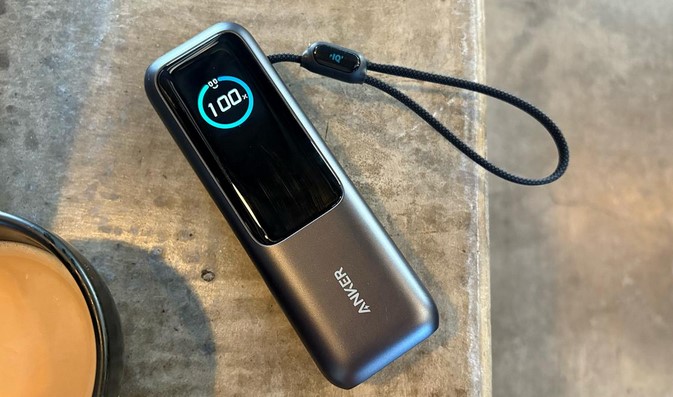
Lately, I’ve moved away from “dumb” bricks to those with Integrated Digital Displays. Brands like Anker and Sharge have mastered this. These screens show you exactly how many Watts are flowing into your device and the estimated time until the power bank itself is empty. For a tech writer, this data is gold; for you, it means no more guessing.

The Best for Creators: Multi-Protocol Hubs

If you’re carrying a MacBook, an iPhone, and a pair of Sony headphones, you need a bank that speaks every “language.” Look for devices that support PPS (Programmable Power Supply) and QC 5.0. This ensures the power bank negotiates the exact voltage your device needs, preventing the “over-fried” battery syndrome common in older models.


4. Technical Deep-Dive: PD 3.1 and Bidirectional Charging

For my intermediate readers, let’s talk about the “Braid.” In 2026, USB-C PD 3.1 is the king of the hill. It allows for power delivery up to 140W and beyond.

Bidirectional Charging is another must-have feature. This means the same port you use to charge your phone is the one you use to recharge the power bank. It simplifies your cable management—one high-quality USB-C to USB-C cable is all you need for your entire tech ecosystem.


5. Expert Advice: The “Hidden Aging” Factor

I’ve seen many people buy a high-capacity power bank and leave it in their car “just in case.” This is a recipe for disaster.

Tips Pro: Lithium batteries hate extreme temperatures. A power bank left in a hot car in Indonesia or a freezing office in New York will lose its Cycle Life rapidly. Keep your power bank in your bag, not the glove box.

Beware of “Fake Capacity” on discount sites. If you see a 50,000mAh power bank the size of a smartphone for $15, it is a fire hazard. These often contain sand-filled shells or recycled 18650 cells that are prone to Thermal Runaway. Always buy from reputable brands with UL or CE certification.


6. Maintenance Checklist for Your Power Bank

To keep your portable power banks healthy for the long haul, follow this scannable guide:

  • The 20-80 Rule: Just like your phone, try not to let your power bank sit at 0% for months. Store it at around 50-70% if you won’t use it for a while.

  • Inspect the Ports: Dust and lint from your pocket can get trapped in the USB-C port, causing slow charging or heat. A quick blast of compressed air works wonders.

  • Cables Matter: A 100W power bank is useless if you use a cheap cable rated for only 10W. Invest in a certified E-Marker cable to unlock full speeds.

  • Firmware Updates: Yes, in 2026, some high-end power banks have firmware. Check the manufacturer’s app to ensure your device is optimized for the latest smartphone battery protocols.


Summary: Powering Your Potential

After a decade in the tech trenches, I’ve realized that our freedom is tied to our battery percentage. A high-quality portable power bank isn’t just a gadget; it’s the bridge that gets you through a 14-hour workday, a cross-continental flight, or an unexpected power outage.

In 2026, the technology is faster, smaller, and smarter than ever. Choose a device that matches your workflow, respect the chemistry of the battery, and you’ll never have to hunt for a wall outlet again.


What’s in your “Go-Bag”?

Are you a minimalist who carries a 5,000mAh “emergency” card, or are you the person in the airport providing power to the whole row with a 30,000mAh beast? I’d love to hear your “low battery” horror stories—drop a comment below and let’s find the perfect power solution for your setup!

Gadgets

Source:https://pinaywise.com

In today’s fast-paced world, technology is evolving at a rapid pace, offering innovative ways for people to capture and share moments of their daily lives. One such breakthrough is the wearable camera—an intriguing device that allows users to record high-quality video hands-free. Whether you’re a content creator, an outdoor enthusiast, or simply someone who wants to document your life without having to hold a camera, wearable cameras have emerged as a solution to capture life on the go. These devices have found their place in various sectors, from personal vlogging to sports and adventure. Let’s dive into the growing importance of wearable cameras, their benefits, and how they are reshaping the way we document our lives.

What Are Wearable Cameras?

Wearable cameras are compact and portable devices designed to be worn on the body, offering users the ability to record video or take photos without the need to hold a camera. These cameras are typically mounted on your body using specialized mounts or worn as part of clothing accessories such as glasses, hats, or even straps. They are built to withstand the rigors of daily life and extreme environments, making them ideal for a range of activities such as travel, sports, and work-related tasks.

Some of the most popular wearable cameras on the market today are the GoPro series, which are often used by adventure seekers to capture high-definition footage of activities like surfing, skiing, or mountain biking. Similarly, other products such as the Snapchat Spectacles or various action cameras are gaining traction among tech enthusiasts and social media influencers for their versatility and convenience.

Key Benefits of Wearable Cameras

1. Hands-Free Operation

One of the primary advantages of wearable cameras is their ability to record videos and take photos hands-free. This is particularly useful for those who are engaged in activities where holding a camera would be cumbersome or distracting. For example, cyclists, runners, or even professional chefs can wear a camera and focus on their activity without having to interrupt their flow to capture footage. With wearable cameras, all you need to do is activate the camera, and it takes care of the rest.

2. Seamless Integration into Daily Life

Wearable cameras are designed to be discreet, allowing them to seamlessly blend into your lifestyle. Unlike traditional cameras that may attract attention or hinder your ability to interact freely with others, wearable cameras are often small and unobtrusive. They allow you to capture life as it happens, whether you’re attending a concert, hiking in the mountains, or engaging in a business meeting. Their unobtrusive design makes them a perfect tool for capturing authentic, candid moments.

3. Versatility Across Various Activities

Whether you’re an athlete or an everyday adventurer, wearable cameras provide versatility. These cameras can be mounted on your body or worn on accessories like your head, chest, or wrist. This flexibility allows for a variety of unique perspectives that would be difficult to achieve with traditional cameras. For example, a helmet-mounted camera captures the world from your point of view, making it ideal for extreme sports such as rock climbing, skateboarding, or even motorcycling. Additionally, some cameras are waterproof or shockproof, making them perfect for underwater exploration or harsh environments.

4. Hands-Free Social Media Sharing

Wearable cameras are designed to be connected to mobile devices, making it easy for users to share content instantly. Many cameras have built-in wireless connectivity, allowing for real-time sharing to social media platforms. This feature is especially beneficial for vloggers or influencers who want to share their adventures and experiences with their followers in real-time. The convenience of capturing, editing, and sharing footage directly from your wearable camera allows for more spontaneous and authentic content creation.

Wearable Cameras in Specific Sectors

Outdoor Adventures and Sports

The outdoor adventure community has greatly embraced wearable cameras due to their ruggedness and hands-free capabilities. Action cameras are the go-to tools for individuals engaging in high-risk activities like mountain biking, snowboarding, scuba diving, or rock climbing. For instance, GoPro cameras are designed to be waterproof, shock-resistant, and capable of capturing ultra-high-definition footage, making them ideal for documenting extreme outdoor sports. The hands-free feature is particularly useful in situations where using both hands is necessary for balance or safety.

Content Creation and Social Media

Content creators and influencers have adopted wearable cameras to enhance their storytelling abilities. With the rise of live-streaming and real-time video sharing, wearable cameras provide a more immersive and direct way for creators to engage with their audiences. Platforms like Instagram, YouTube, and TikTok have seen a surge in vloggers using wearable cameras to share their experiences, whether it’s exploring a new city or attending an event. The lightweight nature of these cameras also makes them easier to carry around compared to traditional cameras, making them perfect for capturing moments on the fly.

Professional Use Cases

Beyond personal use, wearable cameras are finding practical applications in professional environments. In industries like law enforcement, healthcare, and security, body-mounted cameras have become essential tools. Police officers, for example, use wearable cameras to record interactions with civilians, ensuring transparency and accountability. Similarly, doctors and medical professionals can use wearable cameras to document procedures and communicate with other healthcare providers, providing a valuable educational resource.

The Future of Wearable Cameras

As technology continues to evolve, wearable cameras are only becoming more advanced. Future iterations are expected to feature improved image stabilization, longer battery life, and even more discreet designs. Some wearable cameras are integrating artificial intelligence to automatically select key moments for recording or editing, which will further simplify the user experience.

With the rise of augmented reality (AR) and virtual reality (VR), wearable cameras are also likely to play an essential role in bridging the gap between the physical and digital worlds. Wearable AR glasses, for example, may be equipped with cameras that allow users to capture immersive video content, which can then be shared and experienced in a virtual space.

In conclusion, wearable cameras have revolutionized the way we document and share our lives. From providing a hands-free recording experience to offering versatility in extreme sports and social media, these cameras have become indispensable for many. Whether you’re a professional content creator, an adventurer, or someone simply looking to capture your day-to-day experiences, wearable cameras provide an efficient and effective solution. As these devices continue to evolve, they will only become more integrated into our daily routines, changing the way we interact with the world and share our personal narratives.

Gadgets

Source:https://www.popsci.com

In today’s world, music is an essential companion for outdoor activities and social gatherings. Whether you’re hiking through rugged trails, enjoying a beach day, or hosting a poolside party, the right soundtrack can elevate the entire experience. However, taking a regular speaker outside comes with risks — especially exposure to water, dirt, and dust. This is where waterproof speakers step in, designed specifically to handle the elements while delivering high-quality sound. These versatile gadgets are perfect for any outdoor adventure or party, offering a blend of portability, durability, and sound performance. In this article, we’ll explore the benefits of waterproof speakers, their key features, and how they can enhance your outdoor activities and social events.

1. Benefits of Waterproof Speakers

Durability for Extreme Environments

One of the primary advantages of waterproof speakers is their durability. These speakers are built to withstand the harsh conditions often encountered in outdoor settings. Whether you’re at the beach, in the pool, or on a hiking trail, waterproof speakers are designed to resist water, dust, and dirt. This means they can handle splashes, spills, and even complete submersion in water, depending on their IP (Ingress Protection) rating.

For beach-goers, waterproof speakers eliminate the worry of damaging a device when exposed to water. If the speaker is dropped in the sand or accidentally splashed with water, it will still function without any issues. Similarly, these speakers are perfect for pool parties, where they can be submerged in water without skipping a beat. Even during outdoor festivals or camping trips, the added durability of waterproof speakers ensures that your music keeps playing no matter what nature throws at you.

Portable and Convenient for Outdoor Adventures

Waterproof speakers are not only rugged but also incredibly portable. These speakers are typically compact, lightweight, and easy to carry, making them ideal for outdoor enthusiasts who are constantly on the move. Whether you’re backpacking through the mountains or attending a picnic in the park, you can take your music with you without worrying about bulk or weight.

The portability factor makes them perfect for parties, especially in outdoor settings like gardens, rooftops, or even on a boat. They are easy to toss in a backpack or cooler, allowing you to enjoy your favorite tunes without missing a beat, wherever you go.

Enhanced Sound Quality

While portability and water resistance are key features, another critical aspect of waterproof speakers is their sound quality. Many waterproof models are engineered to deliver exceptional audio performance, with powerful bass, clear midrange, and crisp highs. Despite their compact size, these speakers produce surprisingly robust sound, ensuring your music is both clear and loud enough to fill the surrounding area.

For outdoor activities where background noise may be present, such as wind, waves, or crowd chatter, high-quality sound ensures you don’t have to compromise on your listening experience. Whether you’re hosting an outdoor event or just enjoying music during a solo hike, waterproof speakers can provide an immersive audio experience.

2. Key Features to Look for in Waterproof Speakers

IP Rating: Understanding Waterproof Capabilities

When shopping for a waterproof speaker, one of the most important factors to consider is the IP (Ingress Protection) rating. The IP rating indicates the level of protection a speaker has against water and dust. An IPX7 rating, for example, means that the speaker is resistant to water immersion up to 1 meter deep for 30 minutes. An IPX8 rating indicates that the speaker can withstand continuous immersion in water beyond 1 meter.

For general outdoor use, an IPX7 or IPX8-rated waterproof speaker is usually sufficient. However, if you plan on using your speaker for intense activities like kayaking or rafting, it may be worth investing in a higher-rated speaker to ensure maximum water resistance.

Bluetooth Connectivity and Battery Life

Since most waterproof speakers are designed for outdoor use, having a reliable wireless connection is essential. Bluetooth connectivity is the standard for most modern waterproof speakers, allowing you to wirelessly stream music from your smartphone or other devices. Look for a speaker that offers a strong Bluetooth connection with a range of at least 30 feet to ensure uninterrupted music flow.

Additionally, battery life is an important consideration when choosing a waterproof speaker. The last thing you want is for your speaker to die midway through your beach day or hike. Most high-quality waterproof speakers offer anywhere from 8 to 20 hours of battery life, depending on volume levels and usage. A longer battery life ensures that your music won’t stop when you’re enjoying a long day outdoors.

Design and Aesthetics

Waterproof speakers come in a variety of designs, so you can choose one that fits your style and needs. Some speakers are designed with rugged exteriors, making them virtually indestructible, while others focus on sleek, minimalist designs that look great at any event. Many waterproof speakers also feature integrated carabiners or handles, making them easy to attach to bags or backpacks for added convenience.

Choosing a speaker with the right balance of durability and aesthetics ensures that it complements both your outdoor activities and your parties. After all, you’ll want a speaker that not only works well but also looks good while doing so.

3. Waterproof Speakers for Parties and Social Gatherings

Creating the Perfect Party Vibe

For parties, especially those held outdoors, waterproof speakers can help create the perfect atmosphere. Whether you’re hosting a BBQ in the backyard, a rooftop gathering, or a beach bonfire, these speakers ensure that your playlist is the centerpiece of your event. With the ability to pair multiple speakers together (using Bluetooth or a dedicated app), you can amplify your music and create a more immersive experience.

Waterproof speakers are built to handle the loud, dynamic environment of a party. With high volume capabilities and durable construction, they can keep the music pumping even during poolside splashes or dancing in the rain. Many modern waterproof speakers also come with built-in LED lights that sync with the music, adding an extra layer of excitement to your gathering.

Multi-Speaker Pairing and Sound Synchronization

One of the best features of waterproof speakers for parties is the ability to sync multiple devices together for a larger soundstage. Many Bluetooth-enabled waterproof speakers allow you to pair multiple units to create a stereo system or surround sound experience. This can be particularly useful for larger gatherings, where you need to ensure that the music reaches all areas of your venue.

In addition to the audio benefits, some waterproof speakers also offer smart features like voice assistants, which can further enhance your party experience. You can control the music, adjust the volume, or even take voice calls hands-free, without interrupting the flow of the event.

In conclusion, waterproof speakers are the ultimate solution for outdoor adventures and parties, providing durability, portability, and impressive sound quality in any environment. Whether you’re hiking through the wilderness, lounging by the pool, or hosting a lively outdoor gathering, these versatile gadgets can keep the music going while withstanding the elements. By selecting the right waterproof speaker based on features like IP rating, battery life, and sound quality, you can ensure an enjoyable experience wherever your adventures or parties take you.

Gadgets

Source:https://cdn.rouvy.com

Cycling has evolved from a simple mode of transportation to a high-energy sport and recreational activity. Whether you’re an avid cyclist, a weekend warrior, or someone simply enjoying a leisurely ride, incorporating music or podcasts into your cycling routine can significantly enhance your experience. However, not all headphones are designed to withstand the challenges of cycling, which is why bike headphones have become a popular choice for cyclists seeking quality audio while staying safe on the road. This article will delve into the features, benefits, and considerations of using bike headphones to improve your cycling experience.

Why You Need Bike Headphones for Cycling

Safety First: Staying Aware While Enjoying Music

One of the most important factors to consider when choosing headphones for cycling is safety. Traditional in-ear or over-ear headphones can block out essential environmental sounds, such as the hum of traffic, the whirring of other cyclists, or the subtle warning of a car approaching from behind. This can put cyclists at a serious disadvantage when it comes to situational awareness, potentially leading to dangerous situations.

Bike headphones are specifically designed with safety in mind. They often feature open-ear designs or bone-conduction technology, which allows you to enjoy your favorite tunes or podcasts while still hearing the world around you. With open-ear headphones, sound is directed to the ear canal without covering or inserting into the ear, allowing cyclists to remain alert to traffic, pedestrians, and other potential hazards.

Bone conduction headphones, a popular option among cyclists, vibrate against the bones in your skull, transmitting sound directly to the inner ear while leaving the ear canal open. This means you can still hear your surroundings, while enjoying clear, crisp audio. These types of headphones are ideal for those who want a seamless balance between entertainment and awareness.

Features to Look for in Bike Headphones

When choosing the right bike headphones, there are several key features to keep in mind. These features not only ensure that you get the best audio experience but also help maintain safety and comfort during your rides.

1. Sound Quality and Clarity

While safety is crucial, the sound quality should not be overlooked. The main goal of bike headphones is to provide an enjoyable listening experience without compromising on awareness. Look for headphones with high-quality sound drivers, which produce clear, balanced audio that is loud enough to hear over wind and road noise but not so loud that it obstructs outside sounds.

Bone-conduction headphones, while not offering the same bass-heavy audio as traditional in-ear headphones, provide crisp, clear mid-range and high frequencies that are perfect for music, podcasts, and audiobooks. For riders who prefer a more immersive experience, headphones with open-ear designs typically provide a good balance of sound quality and environmental awareness.

2. Comfort and Fit

Comfort is a significant factor in any headphone purchase, and this is especially true for cyclists who often ride for long hours. Many bike headphones are designed to fit securely, ensuring that they stay in place even during intense activity. Look for models with adjustable straps or flexible headbands that can be tailored to your head shape.

For those opting for bone-conduction headphones, comfort is achieved by ensuring the bone conduction pads rest gently on your temples. A proper fit will prevent discomfort or slippage, allowing you to focus on the ride. Additionally, choosing lightweight, sweat-resistant, or even water-resistant headphones ensures that they stay comfortable during outdoor rides, no matter the weather conditions.

3. Durability and Weather Resistance

Cycling often exposes your equipment to various weather conditions, from rain to intense sunlight. It’s essential that your bike headphones are designed to withstand these conditions. Look for headphones that are rated for water resistance, sweat-proof, or even waterproof if you plan to ride in inclement weather.

Durability is also a key feature to consider. Your headphones should be able to withstand rough handling, drops, and vibrations from cycling over different terrains. Check for rugged, reinforced designs, and materials such as silicone or rubberized coatings that provide extra durability.

4. Battery Life and Charging

The longevity of your headphones’ battery life is crucial, especially for long cycling sessions. Most bike headphones offer anywhere from 6 to 12 hours of playback time on a single charge, which should be more than enough for a day’s ride or a long training session. Look for headphones with quick charging capabilities, so you can recharge them between rides if needed.

Bluetooth connectivity is commonly used in bike headphones, allowing for wireless operation. Ensure that your headphones are equipped with Bluetooth 4.0 or higher for stable and reliable connections, especially if you plan to take calls or listen to streamed audio during your ride.

Top Benefits of Using Bike Headphones

1. Enhanced Entertainment Experience

Whether you’re listening to your favorite music playlist, following an engaging podcast, or getting lost in an audiobook, bike headphones elevate your cycling experience by providing entertainment while you ride. This can make long rides more enjoyable, helping to pass the time and even improve performance by keeping you motivated with upbeat tunes.

2. Improved Focus

For cyclists who use music or podcasts as a tool for mental focus, the right pair of bike headphones can help you zone in and concentrate better on the ride. With bone-conduction or open-ear designs, you’ll be able to hear your audio clearly while still maintaining focus on the road or trail ahead. It allows you to strike a balance between personal entertainment and external awareness, without distracting from your riding technique or the road conditions.

3. Hands-Free Communication

Many modern bike headphones are equipped with integrated microphones, which means you can easily take calls or communicate with a cycling group while riding. This is particularly useful for group rides, as it allows you to stay connected without having to stop and remove your phone. Furthermore, many headphones feature voice-assistant compatibility, allowing you to control playback or get navigation updates without touching your device.

4. Increased Safety Features

As mentioned earlier, bike headphones prioritize safety by allowing cyclists to hear their surroundings while enjoying music or audio content. With features like open-ear designs and bone conduction technology, cyclists can enjoy a full audio experience while still being aware of approaching vehicles, pedestrians, and other hazards. This is especially important for urban cyclists or those who ride on busy roads.

In conclusion, bike headphones are a game-changer for cyclists who want to enhance their rides with entertainment, stay connected, and maintain situational awareness. Whether you’re riding through city streets or off-road trails, the right pair of bike headphones can help elevate your experience by providing high-quality audio without compromising safety. Features such as open-ear designs, bone-conduction technology, comfort, durability, and long battery life make these headphones an ideal accessory for cyclists of all levels.

If you’re looking for a way to enjoy your favorite tunes or stay informed with podcasts while cycling, then bike headphones are an excellent choice. Just remember to choose a model that fits your specific needs in terms of sound quality, comfort, and durability. By making the right selection, you can enjoy your cycling adventures with better audio, enhanced focus, and greater safety.

Gadgets

Source:https://www.security.org

In today’s world, security is a top priority for homeowners, business owners, and renters alike. Home security systems, including cameras and surveillance equipment, play a significant role in providing peace of mind. However, many of these systems come with hefty subscription fees for cloud storage, added features, and remote access. Blink, an affordable home security camera brand, offers an appealing solution for those who want to blink without subscription—meaning access to reliable security features without the need for ongoing costs. In this article, we’ll explore how you can maximize Blink’s capabilities without committing to a subscription, ensuring that your home or business remains protected while keeping expenses in check.

Understanding Blink’s Core Features

Blink is a popular name in the home security space, primarily known for its wireless, battery-powered cameras that offer a range of useful features. These cameras are designed to be easy to set up and integrate with Amazon Alexa, allowing for voice control and monitoring. The Blink system includes both indoor and outdoor cameras, motion sensors, and the Blink Sync Module, which connects the cameras to your home Wi-Fi network.

One of the key selling points of Blink cameras is their affordability, both in terms of initial purchase and operational costs. While Blink offers a subscription service, it is possible to use the cameras effectively without subscribing to the service. Let’s break down the features that are available without any extra cost and explore how to make the most of them.

Blink Cameras Without Subscription: The Free Features

Using Blink without a subscription doesn’t mean you’re sacrificing the effectiveness of the security system. Blink still offers a wide range of features that are fully functional without the need to subscribe to its cloud storage services. Here’s a closer look at the free options available:

1. Live Streaming and Motion Detection Alerts

One of the standout features of Blink cameras is the ability to stream live video directly to your smartphone, tablet, or Alexa-enabled device. Even without a subscription, you can monitor your home or office in real time. The cameras automatically send motion alerts when they detect movement in their designated field of view, notifying you through the Blink app. This is an essential feature that helps you stay on top of security events as they occur.

2. Local Storage via Blink Sync Module 2

The Blink Sync Module 2 is a critical component of the Blink system. It allows you to store video clips locally without the need for a cloud subscription. Using a USB drive plugged into the Sync Module, you can save up to two hours of video footage, depending on the size of the USB drive and how often the cameras are triggered. This local storage option allows you to access your recordings without paying for cloud storage.

While two hours of footage may not seem like much, it’s often sufficient for many users who want to review specific events without the need for ongoing cloud services. Additionally, using local storage means that you can access footage without worrying about internet connection issues, as the files are saved directly to your USB drive.

3. Customizable Motion Detection Zones

Blink’s app allows you to set up custom motion detection zones, ensuring that you only get alerts for movements that matter. This is particularly useful for focusing on areas such as doors or windows, while ignoring less important areas like sidewalks or streets. By customizing the zones, you can make your system more efficient and avoid false alarms—an especially helpful feature when you’re not subscribing to cloud storage services that could fill up quickly with unnecessary footage.

4. Integration with Amazon Alexa

If you have an Alexa-enabled device, Blink cameras integrate seamlessly, offering voice control and automation options. You can view live video feeds, arm or disarm the system, or check on your cameras with simple voice commands. Alexa integration also allows you to receive motion alerts through your Echo device, making it easier to stay informed about what’s happening in and around your home.

Making the Most of Blink Without Subscription

While Blink offers several features that don’t require a subscription, there are some ways to maximize its use for security without needing additional cloud storage or premium services. Here are some tips to help you get the most out of your Blink cameras:

1. Regularly Manage Your Local Storage

Since Blink’s free storage solution is limited to the Sync Module and a USB drive, it’s important to manage the storage efficiently. If you’re consistently capturing motion-triggered footage, consider regularly downloading or backing up your videos to your computer or external hard drive. This will ensure that you don’t lose critical footage and will prevent your USB drive from reaching capacity.

In addition, deleting unnecessary footage can free up space for more recent recordings. While this may require some manual effort, it ensures that you can continue to store and review important events without paying for a subscription.

2. Utilize Multiple Cameras for Broader Coverage

To maximize your home’s security with Blink, consider installing multiple cameras in strategic locations. Even without cloud storage, multiple cameras enhance your ability to monitor various parts of your home simultaneously. Using the Blink app, you can easily toggle between camera feeds and receive alerts for any motion detected across the entire property.

By placing cameras in key areas such as entryways, driveways, and backyards, you’ll have a complete view of your property’s activity without needing to subscribe to additional features.

3. Set Up Scheduled Arming and Disarming

Blink allows you to schedule when your cameras are active, meaning you can have them automatically arm and disarm based on your needs. This function can help you avoid excessive notifications when you’re at home, while still maintaining security when you’re away. By scheduling your cameras to activate only when you’re out of the house or during the night, you can ensure your system remains efficient while reducing unnecessary alerts.

4. Take Advantage of Third-Party Integrations

While Blink integrates with Amazon Alexa, you can also enhance its functionality by using third-party applications or smart home systems. Many smart home ecosystems, such as Google Home or IFTTT (If This Then That), can help you automate and customize your Blink system. For example, you could set up a rule where your Blink cameras automatically start recording when a smart doorbell rings or when motion is detected in a specific zone.

In conclusion, it is entirely possible to blink without subscription and still enjoy a comprehensive, effective security system for your home or business. Blink offers several key features, including live streaming, motion detection, local storage, and Alexa integration, without requiring an ongoing subscription. By effectively utilizing these features and managing your local storage, you can ensure that your security system remains functional and reliable without extra costs.

While a subscription to Blink’s cloud storage service can provide additional benefits such as extended video storage and higher resolution, the free features available in Blink cameras are more than sufficient for those who want to maximize their security setup without paying for extra services. With the right setup and usage, Blink can offer robust protection and peace of mind at no ongoing cost to you.

Gadgets

Source:https://cdn.mos.cms.futurecdn.net

When it comes to enhancing the sound quality in your audio setup, the cables you use can make a significant difference. One of the most effective cables for high-quality audio transmission is the optical audio cable. Whether you’re a music enthusiast, a home theater lover, or a professional sound engineer, the best audio optical cable can drastically improve your listening experience. This article delves into the advantages of using optical cables, how to choose the right one, and the top options available in the market today to elevate your sound system to the next level.

What is an Optical Audio Cable?

An optical audio cable, also known as a TOSLINK or SPDIF cable, uses light to transmit audio signals instead of electrical currents. This offers several advantages over traditional copper cables, including immunity to electromagnetic interference (EMI) and reduced signal degradation over long distances. Because optical cables transmit data as light pulses, they provide a clean, high-quality audio signal without the interference that might affect other cable types.

Benefits of Optical Audio Cables

There are several reasons why optical audio cables are favored in many home entertainment and professional sound setups:

  1. Interference-Free Signal: Since optical cables transmit data via light, they are not susceptible to electromagnetic interference (EMI) or radio frequency interference (RFI), both of which can degrade audio quality in traditional copper cables.
  2. Clearer Sound: Optical cables maintain the integrity of the audio signal, which results in clearer and crisper sound. This makes them ideal for systems where high-quality sound is essential, such as in home theater systems or high-end stereo setups.
  3. Longer Transmission Distances: Optical cables can carry signals over much longer distances without significant loss of quality compared to their copper counterparts. This makes them perfect for setups where the audio source is far from the speakers or sound system.
  4. Compatibility with Surround Sound Systems: Many home theater and surround sound systems use optical cables to connect to devices like Blu-ray players, gaming consoles, soundbars, and AV receivers. These cables are capable of carrying multi-channel audio signals, such as Dolby Digital and DTS, without compression, ensuring the best possible surround sound experience.

How to Choose the Best Audio Optical Cable for Your Setup

Choosing the best audio optical cable for your sound system can be overwhelming given the variety of options available. However, several key factors should guide your decision, ensuring you select a cable that meets your specific needs.

1. Length of the Cable

The length of the optical cable is an essential factor to consider. If your devices are far apart, you’ll need a longer cable, but it’s important to avoid excess length as this may introduce signal degradation. Typically, optical cables can transmit signals up to 10 meters without noticeable loss of quality. However, it’s essential to remember that the longer the cable, the greater the potential for degradation, even with high-quality materials.

2. Build Quality

Look for a cable with durable construction to ensure it lasts over time. High-quality optical cables should have reinforced connectors and be made from materials that can resist wear and tear, such as high-strength plastic or fiber optics with protective jackets. Some cables even come with gold-plated connectors, which can provide a more secure connection and further reduce any potential for signal loss.

3. Data Transfer Rate

The data transfer rate is an essential aspect of optical cables, especially when you are using them for high-resolution audio. Cables with higher transfer rates can carry more data, allowing for the transmission of higher-quality audio formats such as 24-bit/192kHz or even surround sound. Always check the specifications of the cable to ensure it can handle the audio formats you intend to use.

4. Price vs. Performance

While premium optical cables can offer better durability and higher signal integrity, there are many budget-friendly options that still deliver excellent sound quality. It’s essential to strike a balance between price and performance, depending on your setup’s needs. A very expensive cable might not necessarily provide a noticeable improvement over a reasonably priced one for the average listener.

5. Connector Compatibility

Before purchasing an optical cable, ensure that the connectors are compatible with the devices you plan to connect. Most optical cables have TOSLINK connectors, but some devices may require a 3.5mm mini-jack, so check the specifications of your audio equipment to ensure compatibility.

Top Recommendations for the Best Audio Optical Cable

With so many options on the market, it can be difficult to choose the right optical cable. Here are some of the best audio optical cables available today, each offering excellent sound quality, durability, and performance.

1. Mediabridge Toslink Optical Audio Cable

The Mediabridge Toslink Optical Audio Cable is a popular choice for users who need an affordable yet high-quality solution for their audio setup. This cable is built to last, with a high-quality fiber optic core and durable connectors. It supports Dolby Digital and DTS surround sound formats, making it ideal for home theater systems. It is available in various lengths, so you can choose the right size for your needs. The Mediabridge cable offers excellent performance at a budget-friendly price point, making it one of the best audio optical cables for those who want great sound without breaking the bank.

2. Cable Matters Toslink Optical Audio Cable

The Cable Matters Toslink Optical Audio Cable offers superb performance for audiophiles and home theater enthusiasts. This cable features gold-plated connectors for better conductivity, ensuring high-quality sound transmission. It also has a sturdy and flexible design, making it easy to install in tight spaces without worrying about damage. Supporting high-definition audio formats like Dolby TrueHD and DTS-HD Master Audio, the Cable Matters cable delivers pristine sound quality for all types of content, from movies to music.

3. AmazonBasics Digital Optical Audio Toslink Cable

For those seeking a no-frills yet reliable optical cable, the AmazonBasics Digital Optical Audio Toslink Cable provides excellent value. This affordable cable is perfect for those who don’t require extra features but still want a solid connection for their sound system. It supports high-fidelity audio and features a flexible, durable design that resists wear and tear over time. While it doesn’t have the advanced features of higher-end models, it still offers great performance for basic setups.

4. AudioQuest Optilink 5 Optical Audio Cable

For those willing to invest in a premium optical cable, the AudioQuest Optilink 5 is an excellent choice. With advanced features such as solid core construction and superior materials, the Optilink 5 ensures an interference-free audio experience. The connectors are designed to reduce jitter, providing clear, accurate sound, and the cable supports high-resolution audio formats without any loss in signal quality. If you’re looking for top-tier performance and build quality, the AudioQuest Optilink 5 is one of the best audio optical cables available today.

In today’s world, where audio quality is paramount for an immersive experience, investing in the best audio optical cable is a crucial step toward optimizing your sound setup. Optical cables offer numerous advantages, including clear, interference-free audio and long-distance transmission capabilities. By considering factors like cable length, build quality, and compatibility, you can select the ideal optical cable to meet your needs. Whether you’re building a new home theater system, upgrading your stereo setup, or simply looking to improve the sound quality of your existing equipment, the right optical cable can make all the difference in enhancing your listening experience.

Gadgets