Month: <span>April 2026</span>

Source:https://www.networkworld.com

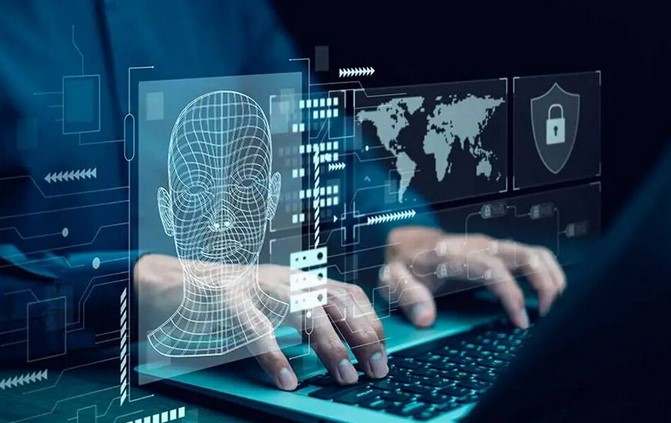
Imagine you are hosting a high-profile gala at a prestigious medical research facility. You have hundreds of guests arriving, but among the doctors and donors, there are uninvited crashers trying to slip through the kitchen door, hide in the vents, or even impersonate the catering staff to steal sensitive patient data. Without a security team at the door, your event—and your data—would be in total chaos within minutes.

In my twelve years navigating the complex infrastructure of HealthTech, I’ve seen this “gala” play out every single day on the internet. I remember a specific incident early in my career where a small clinic thought they were safe because they were “too small to be targeted.” They didn’t have a proper barrier in place, and in less than four hours, a simple automated bot had paralyzed their entire scheduling system.

That was my wake-up call: the digital world is a neighborhood that never sleeps, and types of firewalls are the security guards that keep the “bad actors” out. Whether you’re running a home office or a growing startup, understanding these barriers is your first step toward digital survival.


What Exactly is a Firewall? The Digital Border Guard

Before we dive into the technical weeds, let’s clear the air. A firewall isn’t a literal wall of fire; it’s a system designed to prevent unauthorized access to or from a private network.

The Airport Analogy

Think of your computer network as an International Airport.

  • The Internet is the rest of the world.

  • The Firewall is the TSA and Customs checkpoint.

Just like an airport has different layers of security—from the person checking your ID at the entrance to the high-tech scanners at the gate—there are various types of firewalls designed to catch different kinds of threats. Some look at the “luggage” (data), while others just check the “passport” (IP address).


1. Packet Filtering Firewalls: The First Line of Defense

This is the oldest and most basic version of a firewall. I like to call this the “Identity Checker.” When data travels across the internet, it is broken down into small chunks called packets.

Packet filtering firewalls sit at the junction where networks connect. They inspect each packet’s header—looking at where it came from (Source IP) and where it’s going (Destination IP). If the packet doesn’t match the “guest list” (the security rules), it’s dropped immediately.

  • Pros: Extremely fast and doesn’t slow down your connection.

  • Cons: It’s easily fooled. It doesn’t look at what is inside the packet. It’s like a guard who lets a suspicious box into the building just because the return address looks familiar.


2. Circuit-Level Gateways: The Handshake Monitor

This type of firewall operates at the Session Layer of the OSI model. Instead of looking at individual packets, it monitors the “handshake” between two systems to ensure a connection is legitimate.

In my experience, these are often used because they are resource-efficient. They don’t waste time inspecting the data; they just make sure the connection itself follows the rules of the protocol (like TCP).


3. Stateful Inspection Firewalls: The “Memory” Expert

Now we are moving into more intelligent territory. Unlike packet filtering, which treats every packet as a stranger, Stateful Inspection Firewalls remember the context of your connections.

If you initiate a request to a website, this firewall remembers that you asked for that data. When the website sends info back, the firewall says, “Ah, yes, I was expecting you. Come on in.” If a random server tries to send you data you didn’t ask for, the firewall slams the door.

  • LSI Insight: This is often referred to as Dynamic Packet Filtering. It tracks the “state” of active connections, making it significantly more secure than basic filtering.


4. Proxy Firewalls (Application-Level Gateways)

This is the “Middleman.” A Proxy Firewall acts as the only point of entry to your network. When you want to visit a website, the proxy goes there for you, grabs the data, inspects it for “contraband” (malware), and then hands it to you.

In the HealthTech sector, we frequently use these because they can hide your internal network’s IP address entirely from the outside world. It’s like having a personal assistant go out into the world to run your errands so you never have to leave the safety of your house.


5. Next-Generation Firewalls (NGFW): The Ultimate Shield

If you are a professional or a business owner in 2026, this is likely what you need. Next-Generation Firewalls combine all the features mentioned above and add a layer of “Digital Intelligence.”

What sets NGFWs apart is Deep Packet Inspection (DPI). They don’t just look at the box; they open the box, scan the contents for viruses, and check if the contents match what the label says.

Key Features of NGFWs:

  • Intrusion Prevention Systems (IPS): Actively hunting for and stopping known attack patterns.

  • Application Awareness: The ability to block specific apps (like stopping someone from using a torrenting app while still allowing them to use Zoom).

  • Sandboxing: Taking a suspicious file and running it in a “safe bubble” to see if it explodes before letting it near your real files.


6. Cloud Firewalls and FWaaS

As we move toward a world where “the office” is wherever your laptop is, hardware firewalls (the physical boxes) are being replaced by Firewall-as-a-Service (FWaaS).

These are cloud-native firewalls that protect you regardless of where you are. I’ve helped several remote-first medical startups implement these to ensure that whether a doctor is at home or in a hospital, their connection is routed through a secure cloud “tunnel.”


Expert Advice: The “Layered Security” Secret

After a decade of cleaning up digital messes, I’ve learned one universal truth: No single firewall is 100% perfect.

Tips Pro: Use a Host-Based Firewall (the software built into Windows or macOS) in addition to a Network-Based Firewall (your router or enterprise hardware). This is called “Defense in Depth.” If a threat sneaks past the front gate, it still has to get past the locked bedroom door.

Many people buy a high-end firewall and never update the “definitions.” A firewall with outdated rules is like a security guard with a “Most Wanted” list from 1995—completely useless against modern threats. Enable auto-updates.


How to Choose: A Scannable Guide

Not sure which of the types of firewalls is right for your situation? Use this quick checklist:

  • Home Users: The built-in firewall in your ISP Router combined with Windows Defender/Apple Firewall is usually enough.

  • Gamers: Look for firewalls with a Gaming Mode or low-latency packet filtering to avoid “lag.”

  • Small Businesses: A Stateful Inspection Firewall or a basic Cloud-based WAF (Web Application Firewall) is a great middle ground.

  • Enterprise/HealthTech: Nothing less than a Next-Generation Firewall (NGFW) with active subscription services for threat intelligence.


Summary: Building Your Digital Fort

Understanding the different types of firewalls isn’t just for IT professionals; it’s a basic digital literacy skill in 2026. Whether you are protecting personal photos or a database of patient records, your firewall is the silent guardian that keeps your digital life private and secure.

Technology will always advance, and hackers will always find new ways to “crash the gala,” but with the right shield in place, you can focus on what matters most—running your business and living your life.


Is your “Front Door” locked?

Most people don’t realize their firewall settings are at the default “weak” level until it’s too late. When was the last time you checked your router’s security settings? Do you prefer hardware-based protection or the convenience of the cloud? Let’s talk about it in the comments below!

Networking

Source:https://www.opensourceforu.com

Imagine trying to find a specific grain of sand on a vast beach. With a traditional computer, you’d have to check every single grain one by one—a process that could take centuries. But what if you could scan the entire beach in a single heartbeat? That is the promise of the quantum era.

In my decade-plus of navigating the high-stakes world of HealthTech, I’ve seen classical computers struggle to simulate complex molecular interactions for new drug discoveries. We often hit a “computational wall” where the math simply becomes too heavy for even the most powerful silicon chips. That’s when I realized that we don’t just need faster computers; we need a completely different way to speak to them. We need quantum programming languages.

If you think coding is just about 1s and 0s, prepare to have your mind expanded. We are moving from the world of “Either/Or” to the world of “And,” and the languages we use to get there are nothing short of mathematical poetry.


The Quantum Leap: Why Bits Aren’t Enough

To understand quantum programming languages, we first have to understand the strange nature of the “hardware” they control. Classical computers use bits (think of a light switch that is either ON or OFF).

The Coin Analogy

Think of a classical bit like a coin lying on a table. It is either Heads or Tails. Now, imagine a qubit (a quantum bit) as a coin spinning rapidly on the table. While it’s spinning, it is technically both Heads and Tails at the same time. This state is called Superposition.

Quantum languages allow us to write “recipes” (algorithms) that manipulate these spinning coins before they land. By the time the coin stops spinning, the quantum computer has explored millions of possible outcomes simultaneously.


1. The Landscape of Quantum Programming Languages

When I first dipped my toes into quantum code, I expected it to look like Python or C++. I was wrong. Early quantum coding was more like drawing circuit diagrams. However, we have since moved toward high-level languages that allow us to focus on the logic rather than the physics.

Q# (Q-Sharp) by Microsoft

Microsoft took a bold step by creating a language that feels familiar to enterprise developers. Q# is an open-source, high-level language specifically designed for quantum algorithms. In my experience, its greatest strength is its integration with Visual Studio, allowing you to simulate quantum code on your regular laptop before deploying it to actual quantum hardware.

Qiskit by IBM

If Q# is the “Enterprise” choice, Qiskit is the “Community” choice. Based on Python, Qiskit is an SDK that allows you to build quantum circuits using code that looks very similar to standard data science libraries. I’ve seen small HealthTech research teams use Qiskit to run their first experiments on IBM’s real quantum processors via the cloud.


2. Technical Pillars: Entanglement and Gates

To be effective in this niche, you need to understand two technical concepts that serve as the “syntax” for most quantum programming languages:

  • Logic Gates: In classical coding, you have AND, OR, and NOT gates. In quantum coding, we use Hadamard Gates (to put a qubit into superposition) and CNOT Gates (to flip a qubit based on the state of another).

  • Entanglement: This is what Einstein called “spooky action at a distance.” Quantum languages allow us to link two qubits so that the state of one instantly influences the other, regardless of distance. This is the secret sauce for quantum cryptography and ultra-fast data transfer.


3. Why HealthTech is Obsessed with Quantum Code

You might wonder why a HealthTech writer is talking about quantum physics. The answer lies in Molecular Simulation.

Classical computers cannot accurately simulate a caffeine molecule, let alone complex proteins. Why? Because the atoms themselves behave according to quantum mechanics. Using quantum programming languages, we can write code that “mimics” the way nature actually works. This could reduce the time it takes to develop a life-saving vaccine from ten years to just ten weeks.


4. The Challenges: Noise and Error Correction

Here is a bit of “insider” reality that you won’t find in the hype-filled headlines. Quantum computers are incredibly sensitive. A tiny change in temperature or a stray electromagnetic wave can cause Decoherence, where the “spinning coin” crashes prematurely.

Current quantum programming languages spend a huge amount of effort on Error Correction. Unlike classical code, where a bug is just a mistake in logic, a “bug” in quantum code can be caused by the physical environment of the room. As an intermediate developer, learning how to mitigate this “noise” through code is your most valuable skill.


5. Expert Advice: The “Hidden Warning” for Beginners

I’ve seen many brilliant classical coders fail at quantum programming because they try to force “Linear Logic” onto a “Non-Linear” system.

Tips Pro: Don’t start by trying to build a quantum app. Start by learning Linear Algebra. Quantum programming is essentially high-level math disguised as code. If you understand vectors and matrices, the code will make sense. If you don’t, it will look like gibberish.

Beware of the “Quantum Supremacy” hype. While the languages are ready, the hardware is still in its “Vacuum Tube” era. We are currently in the NISQ (Noisy Intermediate-Scale Quantum) era. Don’t expect to run your entire company database on a quantum computer yet; focus on specific optimization problems.


6. How to Start Your Quantum Journey Today

If you want to be a pioneer in this field, here is a scannable roadmap to get your hands on quantum programming languages:

  • Learn Python: Since Qiskit and many other libraries are Python-based, this is your foundation.

  • Use the Cloud: You don’t need a multi-million dollar fridge in your basement. Use IBM Quantum Experience or Azure Quantum to run code on real hardware for free.

  • Study Algorithms: Learn about Shor’s Algorithm (which can break modern encryption) and Grover’s Algorithm (which searches databases at lightning speed).

  • Join a Community: The quantum world is small but incredibly helpful. Participate in “Quantum Hackathons” to see how others are solving real-world problems.


Summary: Coding the Fabric of Reality

Quantum programming languages represent the ultimate frontier of human logic. We are moving away from telling computers how to calculate and moving toward showing them how to exist in multiple states at once.

For the professionals of tomorrow, these tools aren’t just about speed; they are about solving the “unsolvable” problems in medicine, climate change, and artificial intelligence. The beach is vast, and the grains of sand are many, but for the first time in history, we have the language to find exactly what we’re looking for.


Are You Ready for the Qubit?

The transition from classical to quantum is like the transition from a candle to a lightbulb—it doesn’t just change the brightness; it changes what we can do after the sun goes down. What industry do you think will be disrupted first by quantum computing? Healthcare, Finance, or Cybersecurity? Let’s start a conversation in the comments below!

Emerging Tech

Source:https://s.yimg.com

It’s 4:00 PM in the middle of a sprawling tech conference, and your digital life is bleeding out. Your smartphone—the device holding your digital ticket, your networking contacts, and your ride home—is sitting at a terrifying 3%. You scan the room, but every wall outlet is occupied by someone looking just as desperate as you.

In my decade-plus of working in HealthTech, I’ve seen power failures move from “inconvenient” to “critical.” I once assisted in a remote field clinic where our primary diagnostic tablet died mid-assessment. It wasn’t a fancy generator that saved the day; it was a rugged, high-capacity brick from my backpack. That day cemented my belief: in 2026, portable power banks are no longer accessories—they are essential life support for our digital selves.

If you’re still carrying that cheap, lightweight plastic brick you bought at a gas station three years ago, you aren’t just slow-charging; you’re risking your device’s battery health. Let’s dive into the state of portable energy in 2026.


The “Fuel Tank” Concept: Understanding Capacity

To the uninitiated, power bank shopping is often a game of “which number is bigger?” But bigger isn’t always better.

An Analogy for the Modern User

Think of your smartphone like a glass of water and your power bank like a large jug.

  • Capacity (mAh) is how much water the jug holds.

  • Output (Watts) is how wide the spout of the jug is.

You could have a massive 5-gallon jug (30,000mAh), but if the spout is the size of a straw (5W), it will take all day to fill your glass. In 2026, we want a big jug with a firehose attachment.


1. The 2026 Standard: Gallium Nitride (GaN) and Graphene

The biggest shift I’ve observed over the last few years is the death of the “bulky brick.” Thanks to GaN (Gallium Nitride) technology, portable power banks are now 40% smaller while handling double the heat.

Why Technology Matters

In the past, power banks wasted a lot of energy as heat. If your power bank gets hot enough to warm your hands, it’s failing. Modern GaN-based chargers are highly efficient, meaning more of that stored energy actually makes it into your phone instead of vanishing into the air as heat.

We are also seeing the rise of Graphene-composite batteries. These can be recharged from 0% to 100% in under 20 minutes—a feature I’ve found indispensable when I only have a short layover at an airport.


2. Choosing the Right Capacity for Your Lifestyle

When I consult for tech teams, I categorize portable power banks by “Mission Profiles.” You need to match the brick to the task.

  • The Daily Commuter (5,000 – 10,000 mAh): * Slim enough to fit in a pocket.

    • Provides 1 to 2 full charges for a standard smartphone.

    • Look for MagSafe or Qi2 wireless compatibility for a cable-free experience.

  • The Digital Nomad (20,000 mAh): * The “sweet spot” for most professionals.

    • Can charge a smartphone 4-5 times or a tablet twice.

    • Usually features at least one 65W USB-C PD (Power Delivery) port to keep a laptop alive.

  • The Field Professional (30,000+ mAh): * These are heavy.

    • Best for camping, long-haul travel, or emergency backup.

    • Warning: Be careful with airline regulations; most carriers cap internal batteries at 100Wh (approx. 27,000mAh).


3. High-Performance Picks for 2026

Based on my hands-on testing and industry benchmarks, these are the standout categories for this year:

The Best Overall: The “Smart” Power Bank

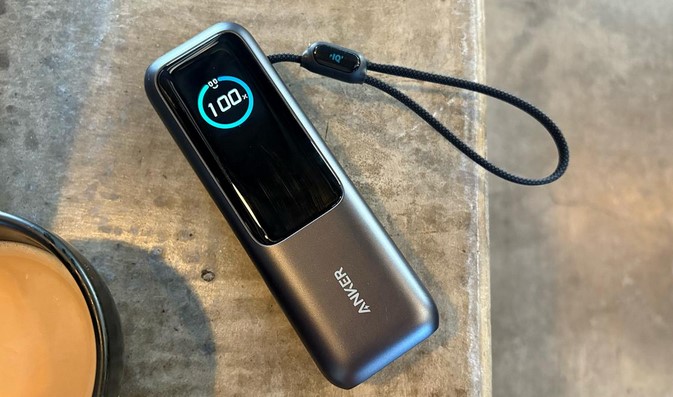
Lately, I’ve moved away from “dumb” bricks to those with Integrated Digital Displays. Brands like Anker and Sharge have mastered this. These screens show you exactly how many Watts are flowing into your device and the estimated time until the power bank itself is empty. For a tech writer, this data is gold; for you, it means no more guessing.

The Best for Creators: Multi-Protocol Hubs

If you’re carrying a MacBook, an iPhone, and a pair of Sony headphones, you need a bank that speaks every “language.” Look for devices that support PPS (Programmable Power Supply) and QC 5.0. This ensures the power bank negotiates the exact voltage your device needs, preventing the “over-fried” battery syndrome common in older models.


4. Technical Deep-Dive: PD 3.1 and Bidirectional Charging

For my intermediate readers, let’s talk about the “Braid.” In 2026, USB-C PD 3.1 is the king of the hill. It allows for power delivery up to 140W and beyond.

Bidirectional Charging is another must-have feature. This means the same port you use to charge your phone is the one you use to recharge the power bank. It simplifies your cable management—one high-quality USB-C to USB-C cable is all you need for your entire tech ecosystem.


5. Expert Advice: The “Hidden Aging” Factor

I’ve seen many people buy a high-capacity power bank and leave it in their car “just in case.” This is a recipe for disaster.

Tips Pro: Lithium batteries hate extreme temperatures. A power bank left in a hot car in Indonesia or a freezing office in New York will lose its Cycle Life rapidly. Keep your power bank in your bag, not the glove box.

Beware of “Fake Capacity” on discount sites. If you see a 50,000mAh power bank the size of a smartphone for $15, it is a fire hazard. These often contain sand-filled shells or recycled 18650 cells that are prone to Thermal Runaway. Always buy from reputable brands with UL or CE certification.


6. Maintenance Checklist for Your Power Bank

To keep your portable power banks healthy for the long haul, follow this scannable guide:

  • The 20-80 Rule: Just like your phone, try not to let your power bank sit at 0% for months. Store it at around 50-70% if you won’t use it for a while.

  • Inspect the Ports: Dust and lint from your pocket can get trapped in the USB-C port, causing slow charging or heat. A quick blast of compressed air works wonders.

  • Cables Matter: A 100W power bank is useless if you use a cheap cable rated for only 10W. Invest in a certified E-Marker cable to unlock full speeds.

  • Firmware Updates: Yes, in 2026, some high-end power banks have firmware. Check the manufacturer’s app to ensure your device is optimized for the latest smartphone battery protocols.


Summary: Powering Your Potential

After a decade in the tech trenches, I’ve realized that our freedom is tied to our battery percentage. A high-quality portable power bank isn’t just a gadget; it’s the bridge that gets you through a 14-hour workday, a cross-continental flight, or an unexpected power outage.

In 2026, the technology is faster, smaller, and smarter than ever. Choose a device that matches your workflow, respect the chemistry of the battery, and you’ll never have to hunt for a wall outlet again.


What’s in your “Go-Bag”?

Are you a minimalist who carries a 5,000mAh “emergency” card, or are you the person in the airport providing power to the whole row with a 30,000mAh beast? I’d love to hear your “low battery” horror stories—drop a comment below and let’s find the perfect power solution for your setup!

Gadgets

Source:https://cdn.arstechnica.net

You are in the final circle of a high-stakes battle royale match. Your palms are sweaty, your heart is racing, and your thumb is hovering over the “Fire” button. Suddenly, your screen dims, your frame rate drops from a silky 90 FPS to a stuttering 15 FPS, and the back of your phone feels like a hot plate. You’ve just been eliminated—not by a better player, but by Thermal Throttling.

In my decade-plus journey through the tech industry, I’ve seen hardware pushed to its absolute limits. I remember consulting for a mobile health startup where we used high-resolution thermal imaging to track muscle inflammation. The irony? Our high-end smartphones were overheating so fast from the processing load that the data became skewed. That was my first “aha!” moment: mobility is useless if your hardware can’t handle the heat.

For today’s mobile gamers, smartphone cooling devices are no longer a “nerdy” accessory; they are a performance-critical necessity. If you want to play at a professional level, you need to understand the science of staying cool.


The Invisible Ceiling: Why Phones Get Hot

Modern smartphones are engineering marvels, packing more processing power than the computers used to send humans to the moon. However, they have one massive design flaw: No internal fans. Unlike a PC or a gaming console, your phone relies on “passive cooling,” meaning it dissipates heat through its frame and glass.

The Marathon Runner Analogy

Imagine a professional marathon runner (your phone’s CPU/GPU). Under normal conditions, they run perfectly. But if they have to run in a thick winter coat (a phone case) in 35°C weather, they eventually slow down to a crawl to avoid a heart attack. That “slowing down” is what we call Thermal Throttling. Smartphone cooling devices act like a personal air conditioner for that runner, allowing them to sprint indefinitely.


1. How Smartphone Cooling Devices Actually Work

When you start looking for smartphone cooling devices, you’ll realize they aren’t just fans. The technology has evolved into two distinct categories that every intermediate gamer should know.

Fan-Based Air Coolers

These are the most common and budget-friendly. They use a high-RPM fan to blow air directly onto the back of the phone. While helpful, they primarily cool the exterior casing. In my experience, these are great for casual sessions but struggle against the “Triple-A” mobile titles like Genshin Impact or Warzone Mobile.

Semiconductor (Peltier) Cooling

This is where things get technical and exciting. These devices use the Peltier Effect. When electricity passes through a semiconductor, one side becomes freezing cold while the other becomes hot. The cold side sits against your phone, literally sucking the heat out of the internal components. I’ve seen Peltier coolers drop a phone’s internal temperature by 15°C in under three minutes.


2. Why “Pro” Gamers Swear by External Cooling

If you are still on the fence about whether you need one, let’s look at the data-driven benefits of using smartphone cooling devices.

  • Maintaining Peak Frame Rates: Throttling usually kicks in when the SoC (System on a Chip) hits 40–45°C. A cooler keeps you below that threshold, ensuring your FPS stays locked.

  • Battery Health Longevity: Heat is the #1 killer of lithium-ion batteries. By keeping your phone cool, you are preventing the chemical degradation that leads to “battery bloat” and reduced capacity over time.

  • Stable Connection: High heat can actually affect your 5G/Wi-Fi modem. If your phone is burning up, your “ping” might spike, leading to lag that has nothing to do with your internet provider.


3. The Tech Stack: Features to Look For

Not all smartphone cooling devices are created equal. When I audit hardware, I look for three specific technical indicators:

  1. Thermal Conductivity: Look for coolers with a high-quality Conductive Silicone Pad. This ensures there is no air gap between the cooler and your phone.

  2. Noise Decibels (dB): You don’t want a fan that sounds like a jet engine when you’re trying to hear enemy footsteps. Aim for something under 30dB.

  3. App Integration: High-end coolers from brands like Black Shark or Flydigi allow you to monitor real-time temperatures and adjust fan speeds via Bluetooth.


4. Addressing the “Bulk” Factor: A Personal Insight

One thing I learned during my years in the field is that ergonomics matter as much as electronics. Adding a cooling device changes how you grip your phone.

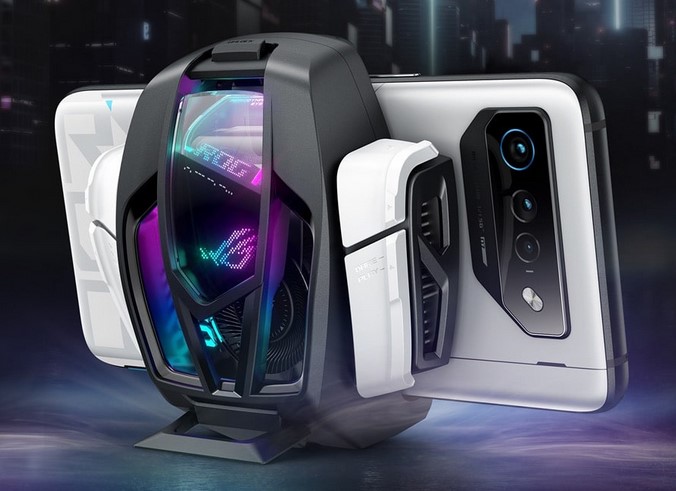
I’ve found that the best smartphone cooling devices use a magnetic (MagSafe-style) attachment rather than a clamp. Clamps can often press against your volume or power buttons, which is incredibly frustrating in the heat of battle. If your phone supports it, go magnetic. It keeps the weight centered and your buttons free.


5. Expert Advice: The “Hidden Warning”

While these devices are life-savers, there is a technical phenomenon you must be aware of: Condensation.

Tips Pro: If you use a powerful Peltier cooler in a humid environment (like Indonesia or Singapore), the surface of the cooler can get so cold that water droplets form—just like on a cold soda can.

Never leave your cooling device running if you aren’t actually playing a game. If the cooler is on but the phone isn’t generating heat, that condensation can seep into your phone’s internal components, potentially causing water damage. Always turn off the cooler as soon as you close the game.


6. Is it Worth the Investment?

For a beginner, a $20–$50 investment in smartphone cooling devices might seem steep. But let’s look at the math. A high-end gaming phone costs $800–$1,200. If you play for 3 hours a day at high temperatures, you are significantly shortening the lifespan of that expensive hardware.

Think of a cooling device not as an “extra,” but as a maintenance tool that protects your investment while giving you a competitive edge. It’s the difference between playing like a pro and being the player who “lags out” during the most important moment of the game.


Summary: Stay Cold, Stay Winning

In the world of mobile technology, heat is the enemy of performance. By understanding the difference between simple fans and semiconductor technology, and by managing the risks like condensation, you can transform your mobile gaming experience.

Don’t let your hardware hold your skills back. Take control of your thermals, and you’ll find that “lag” becomes a thing of the past.


What’s your “Meltdown” Story?

Have you ever had a phone shut down in the middle of a tournament, or are you skeptical that a little fan can really make a difference? I want to hear your experiences! Drop a comment below with your phone model and tell me—does it run too hot for its own good?

Mobile Technology