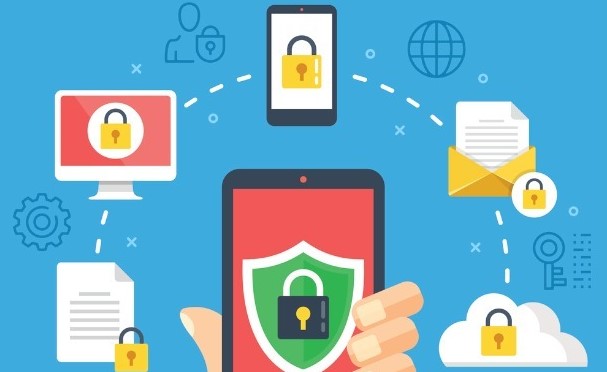
Imagine sitting at a bustling airport coffee shop, sipping your morning latte while casually connecting your smartphone to the free public Wi-Fi to check a work email or approve a banking transaction. Within less than two minutes, a silent actor sitting three tables away executes a man-in-the-middle attack, intercepting your active session tokens, saved corporate passwords, and sensitive client communications—all without triggering a single warning alert on your screen.
Over my ten-plus years working hands-on in technology and enterprise security, I have audited hundreds of compromise incidents across both personal devices and corporate fleets. The most alarming trend I see repeatedly isn’t sophisticated zero-day exploits hacking into high-level servers; it is ordinary users relying on smartphones that carry their entire personal life and corporate keycards without basic protective guardrails.
Today, our smartphones and tablets hold far more sensitive data than our desktop computers ever did. Elevating your mobile data security posture is no longer an optional chore reserved for IT departments—it is an absolute necessity for personal privacy and business survival in 2026.
Here is a comprehensive deep dive into the modern mobile threat landscape, the underlying technology that protects your data, and practical steps to fortify your personal and work devices.
Why Mobile Devices Are the #1 Security Target
To understand why smartphones are constantly under siege, think of your mobile phone like a modern high-tech bank vault that you carry in your pocket.
Unlike a stationary safe sitting inside a secure building, your mobile vault travels with you everywhere: through unsecure public Wi-Fi networks, crowded subway cars, lost-and-found counters, and third-party app stores. If the vault’s lock mechanism relies on weak defaults or outdated software, a thief does not need a blowtorch to get inside—they just need to find an open latch.
┌───────────────────────────────────────────────────────────┐
│               MOBILE DATA SECURITY ECOSYSTEM              │
├──────────────────────────┬────────────────────────────────┤
│ Device Encryption        │ Hardware-backed AES-256        │
│ Access Control           │ Biometrics & Multi-Factor Auth │
│ Network Layer            │ Encrypted VPN & Secure DNS     │
│ Enterprise Management    │ MDM / MAM Containerization     │
└──────────────────────────┴────────────────────────────────┘
Modern mobile security threats go far beyond traditional viruses. Attackers leverage sophisticated vectors including:
-
Smishing & Malicious Links: Targeted SMS phishing messages designed to harvest two-factor authentication codes or trick users into downloading rogue profile configurations.
-
Malicious App Sideloading: Counterfeit utility apps that harbor spyware, keyloggers, or hidden background trojans.
-
Unencrypted Public Networks: Rogue Wi-Fi hotspots set up to sniff unencrypted data packets in public spaces.
The Core Pillars of Effective Mobile Security
Securing your mobile devices requires a layered defense strategy. Whether you are managing your personal smartphone or overseeing a remote corporate workforce, these core mechanisms form your primary defense line.
1. Hardware-Backed Encryption and Biometrics
Modern iOS and Android smartphones feature dedicated hardware security modules (such as Secure Enclaves or Titan M chips). These microprocessors isolate cryptographic keys from the main operating system:
-
Data-at-Rest Encryption: Full-disk encryption utilizing AES-256 ensures that if your device is stolen and dismantled, the raw storage chips yield unreadable scrambled data without your passcode.
-
Biometric Authentication: Face and fingerprint recognition tied directly to hardware enclaves prevent unauthorized physical access while eliminating password fatigue.
2. Network-Level Protection
Connecting to untrusted Wi-Fi access points exposes your device to packet sniffing and DNS spoofing.
Deploying Virtual Private Networks (VPNs) encrypts all outbound traffic through an isolated tunnel, hiding your IP address and browsing activity. Pair this with DNS-over-HTTPS (DoH) to ensure malicious websites are blocked at the domain lookup phase before a connection is even established.
3. Containerization (Bring Your Own Device / BYOD)
For businesses, the line between personal use and corporate data can get dangerously blurry. Modern Mobile Device Management (MDM) platforms solve this through containerization:
-
Personal photos, messages, and social media apps remain completely private to the user.
-
Work emails, proprietary files, and internal tools run inside a encrypted, isolated sandbox managed remotely by IT.
-
If an employee loses their device, IT can issue a remote wipe of the corporate container without touching personal photos or personal data.
Technical Comparison: Personal vs. Enterprise Security Controls
| Security Control | Personal Device Standard | Enterprise / Business Standard |
| Authentication | 6-Digit Passcode + Biometrics | Phishing-Resistant MFA / FIDO2 Keys |
| Network Traffic | On-Demand Consumer VPN | Always-On Zero Trust Network Access (ZTNA) |
| App Management | Official App Stores (Google Play / App Store) | Managed Mobile Application Management (MAM) Catalog |
| Threat Monitoring | Built-in OS Security Scanners | Mobile Threat Defense (MTD) & EDR Agents |
| Data Loss Prevention | Cloud Backup Encryption | Remote Wipe, Copy-Paste Restriction across containers |
Expert Advice: Pro-Tips & Hidden Caveats
Drawing from years of incident response and security auditing, here are critical takeaways you should implement right away:
💡 Pro Tip: Turn Off Automatic Wi-Fi & Bluetooth Connections
By default, smartphones constantly broadcast probe requests searching for known Wi-Fi network names (e.g., “CoffeeShop_Free_WiFi”). Hackers use inexpensive spoofing tools to trick your phone into automatically connecting to a fake access point. Disable “Auto-Join Public Networks” and turn off Bluetooth when you are in public venues to close open attack surfaces.
⚠️ Hidden Caveat: Beware of “Juice Jacking” via USB Charging Kiosks
Free USB charging stations in public airports or hotels carry hidden risks. USB cables carry both power and data simultaneously. A compromised charging port can execute silent malware transfers or screen-mirroring commands to your phone while it charges. Always use a dedicated data-blocker dongle (“USB condom”) or plug your standard AC adapter directly into a regular wall power outlet.
Building a Resilient Mobile Defense Strategy
Mobile convenience should never come at the expense of privacy or operational continuity. By implementing robust passcode standards, leveraging hardware encryption, utilizing encrypted network channels, and enforcing clear business containerization policies, you transform your mobile devices from vulnerable entry points into fortified digital vaults.
Taking proactive control over your mobile data security today ensures your personal memories and vital business assets remain completely safe tomorrow.
Join the Conversation
Have you ever experienced a suspicious network connection or lost a phone containing sensitive work data? What mobile security practices do you currently use? Share your thoughts, experiences, or security questions in the comments below! Let’s discuss how to keep our devices secure in 2026.

Comments are closed.