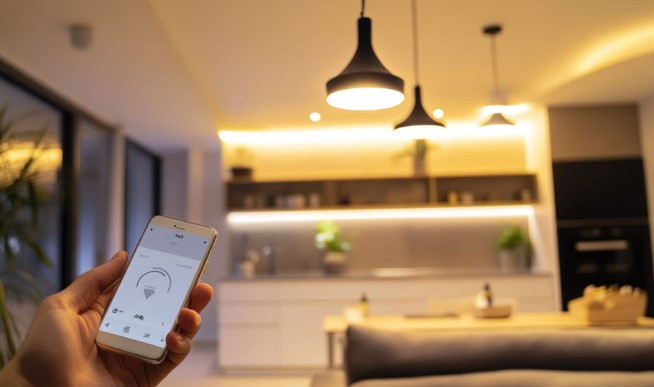
Imagine driving home after a draining 12-hour shift, exhausted, only to pull up to a pitch-black driveway. You fumble through your pockets for keys, stumble up the steps, and grope around the wall for a cold light switch—only to be blinded by a harsh, glaring overhead bulb that instantly ruins your evening mood. Or picture a commercial office where half the floor stays fully illuminated all weekend, silently hemorrhaging thousands of dollars on power bills for an empty room.
For over a decade, I have worked at the intersection of emerging hardware, IoT architecture, and digital health technology. In my early days auditing smart building retrofits, I lost count of how many property managers and homeowners threw away thousands on cheap connected bulbs, only to get frustrated when their hubs disconnected or their automated schedules failed.
Modern smart lighting systems are no longer just a party trick where you change bulb colors with a smartphone app. In 2026, intelligent illumination has become a foundational pillar of modern energy efficiency, enterprise cost reduction, and human-centric wellness.
Here is a deep dive into how intelligent lighting works, why it is revolutionizing both residential and commercial spaces, and how you can deploy it without falling into common setup traps.
How Smart Lighting Systems Actually Work
To understand how modern connected lights function, think of a smart lighting ecosystem like a orchestra.
A traditional light bulb is a soloist with a simple toggle switch—it is either playing at full blast or completely silent. In contrast, smart lighting systems operate like a full symphony orchestra:
-
The Hub/Gateway is the Conductor, receiving orders and directing timing.
-
The Protocols (Zigbee, Z-Wave, Matter, Thread) are the Sheet Music, providing a unified language so instruments communicate seamlessly.
-
Sensors and Switches are the Musicians, triggering ambient adjustments based on motion, daylight, or time of day.
┌───────────────────────────────────────────────────────────┐
│              SMART LIGHTING SYSTEM ARCHITECTURE           │
├──────────────────────────┬────────────────────────────────┤
│ Connectivity Protocols   │ Matter, Thread, Zigbee, Wi-Fi  │
│ Hardware Components      │ Smart Bulbs, Switches, Sensors │
│ Control Layer            │ Mobile Apps, Voice, Automation │
│ Core Benefits            │ Energy Savings, Human Health   │
└──────────────────────────┴────────────────────────────────┘
Unlike basic Wi-Fi bulbs that clog up your home router bandwidth, modern enterprise and home setups rely on low-power mesh networks. In a mesh network, every smart switch and bulb acts as a signal repeater, strengthening the signal the more devices you add across your property.
The Big Two: Home vs. Commercial Applications
While both residential and business setups share similar underlying technology, their deployment goals, hardware requirements, and return on investment (ROI) metrics differ significantly.
1. Smart Lighting for Homes: Circadian Rhythm and Comfort
In residential spaces, smart lighting is moving rapidly toward Circadian Lighting (also known as Tunable White or Human-Centric Lighting).
During my work analyzing environmental factors on sleep quality and productivity, I observed firsthand how light color temperature directly influences human hormones:
-
Morning to Midday (5000K – 6500K): Cool blue-white light suppresses melatonin production, boosting focus, alertness, and daytime energy levels.
-
Evening to Night (2200K – 2700K): Warm amber tones encourage natural melatonin release, signaling to your brain that it is time to wind down.
By automating your home’s lights to follow the natural movement of the sun, you align your indoor environment with your body’s biological clock, improving sleep efficiency and overall mood.
2. Smart Lighting for Businesses: Energy Optimization and Automation
For commercial offices, retail outlets, and warehouses, smart lighting is primarily driven by operational cost reduction and sustainability targets.
Commercial setups rely on two core features:
-
Daylight Harvesting: Light sensors continuously measure incoming sunlight through windows and dim indoor fixtures dynamically, maintaining optimal lux levels while drastically reducing energy consumption.
-
Occupancy & Vacancy Sensing: Infrared and radar sensors ensure lights are only active when employees or clients are present in conference rooms, hallways, or storage facilities.
Technical Comparison: Choosing the Right Protocol
When building out smart lighting systems, selecting the correct wireless communication protocol prevents costly re-engineering down the line:
| Protocol | Range per Node | Power Draw | Best Use Case | Key Advantage |
| Matter over Thread | ~30 meters (Mesh) | Extremely Low | Homes & Small Offices | Native cross-platform compatibility (Apple, Google, Alexa) |
| Zigbee 3.0 | ~10-20 meters (Mesh) | Low | Large Home / Moderate Business | Proven reliability with dedicated bridge/hub |
| Power over Ethernet (PoE) | Up to 100 meters | Hardwired Power | Commercial Buildings | Delivers power & data over single Ethernet cable |
| Standard Wi-Fi | ~45 meters | High | Entry-level (1-5 bulbs) | No hub required; easy starter setup |
Expert Advice: Pro-Tips & Hidden Caveats
Drawing from years of hands-on installation and troubleshooting, here are crucial insights you need before making a purchasing decision:
💡 Pro Tip: Prioritize Smart Switches over Smart Bulbs
Beginners often buy dozens of color-changing smart bulbs first. However, if someone flips the physical wall switch off, your smart bulb loses power and becomes completely offline. For primary living areas and offices, invest in smart wall switches or dimmers. This preserves full smart automation even when family members or employees physically flip switches on the wall.
⚠️ Hidden Caveat: The Neutral Wire Trap & Dimming Flicker
Older homes built before the late 1990s often lack a neutral wire inside light switch junction boxes. Standard smart switches require continuous power from a neutral wire to stay connected to your network. Always open your switch panel (with the main breaker off!) to verify wiring, or select “No Neutral Required” smart switches (such as Lutron Caséta) to avoid expensive rewiring costs. Furthermore, ensure your LED fixtures are explicitly rated as TRIAC-compatible dimmable to prevent annoying flickering at lower brightness levels.
Why the Future Belongs to Intelligent Illumination
Whether you are seeking to improve your personal sleep quality at home or trim down 30% of your business electricity expenses, modern smart lighting systems provide an immediate, tangible return on investment.
By shifting from manual switches to automated, human-centric lighting environments, you create spaces that actively adapt to your daily routine, health, and operational needs.
Join the Conversation
Are you planning to upgrade your home or workplace with intelligent lighting, or are you currently dealing with connectivity headaches in your current setup? Leave your thoughts, questions, or project experiences in the comments below! Let’s discuss the best smart setup for your space.