Month: <span>June 2026</span>

Source:https://cdn.shopify.com

You are rushing to pack your bags for an early morning flight, or perhaps navigating a chaotic day of back-to-back meetings. You reach into your pocket to grab your wireless earbuds, only to find them completely dead. You look down at your desk, greeted by a tangled, frustrating web of Lightning cables, USB-C cords, and micro-USB bricks, none of which seem to be the one you need right now.

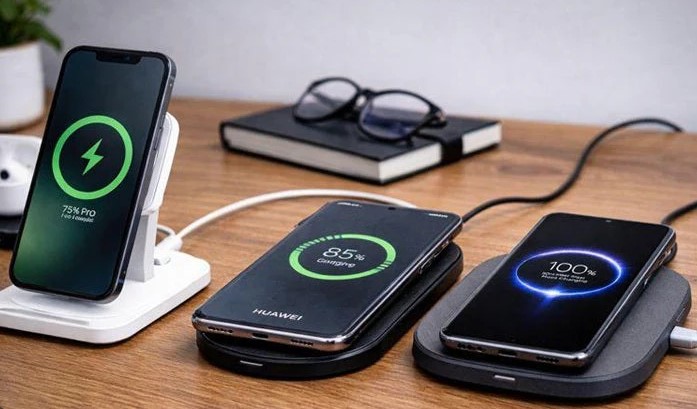
A few years ago, my tech gear bag weighed almost five pounds, stuffed entirely with varying charging cables for my phone, watch, and audio gear. Today, my travel setup is dramatically simpler. I carry a single sleek pad, and the moment I sit down, I drop my phone and my earbuds down with a satisfying magnetic click.

Having spent over a decade analyzing consumer electronics and testing battery hardware, I have watched power delivery transform from a clumsy physical necessity into an elegant, background utility. In 2026, the humble wireless charging case has shifted from a premium, optional luxury into an absolute staple of the modern mobile lifestyle.

Whether you are tired of dealing with frayed cables or curious about how safe this technology actually is for your expensive gadgets, let’s explore the world of cable-free power delivery.

The Invisible Bridge: How Cordless Power Works

To understand how a wireless charging case can juice up your devices without a single physical wire touching the battery, let’s use a simple analogy. Think of wireless power like singing a specific song to make a glass cup vibrate across the room.

The charging pad on your desk contains a tiny internal transmitter coil made of copper. When plugged into the wall, it starts “singing” an invisible song in the form of a high-frequency magnetic field.

Inside your device’s case, there is a matching receiver coil. The moment you place the case onto the pad, its coil hears that magnetic song and automatically starts vibrating with electrical current. This process is technically known as inductive charging, and it seamlessly converts that magnetic whisper back into pure electricity to top up your battery cell.

Why the Move to a Wireless Charging Case is a Game-Changer

For beginners and intermediate tech users alike, the benefits of upgrading your gear to wireless-enabled enclosures go far beyond just looking futuristic. It fundamentally alters how you maintain your devices.

1. Eliminating Hardware Failure Points

The most common hardware failure I have observed over my ten years in tech isn’t broken screens or corrupted software—it is ruined physical charging ports. Lint from your pockets gets jammed inside, or constant plugging and unplugging wears down the internal metal pins. Moving to a wireless system entirely removes this physical wear and tear.

2. Universal Ecosystem Harmony

For a long time, the tech industry was deeply fragmented by proprietary cables. Today, the world has largely unified around global wireless standards. A single high-quality wireless pad on your nightstand can now charge an Apple device, a Samsung phone, and a premium pair of Sony earbuds without needing a single adapter switch.

3. Smart Power Top-Ups

With standard cables, we tend to wait until our devices hit a critical 10% battery warning before hunting down a cord. A wireless setup encourages a healthier habit: micro-charging. By dropping your case onto a pad while you grab a coffee or reply to an email, your gear is constantly topped up in short, stress-free bursts throughout the day.

+-------------------------+-----------------------------------+-----------------------------------+
| Charging Attribute      | Wired Cable Connection            | Wireless Charging Case            |
+-------------------------+-----------------------------------+-----------------------------------+
| **Physical Wear**       | High (Frayed cables, bent pins)   | Zero (No moving parts or ports)   |
| **Convenience**         | Low (Requires two hands to plug)  | High (Drop-and-go interaction)    |
| **Device Alignment**    | Automatic (Forced by the plug)    | Critical (Needs proper centering) |
+-------------------------+-----------------------------------+-----------------------------------+

Navigating the Tech Jargon: Qi vs. Qi2 and MagSafe

When shopping for a new smartphone or audio accessory, you will run into a wall of technical acronyms. Let’s demystify exactly what you are paying for so you can shop with confidence.

The Baseline: The Qi Standard

Pronounced “chee,” this is the open, global foundation for wireless power transfer used by nearly every major electronics manufacturer. Traditional Qi charging works wonderfully, but it requires you to align your device perfectly over the center of the charging pad. If your cat bumps your nightstand at midnight, your device might shift slightly and fail to charge by morning.

The Upgrade: MagSafe and Qi2 Evolution

To solve the alignment issue, magnetic charging architectures were born. In 2026, the new Qi2 standard has brought magnetic alignment to both Android and Apple devices globally.

These cases feature a ring of integrated magnets embedded around the internal charging coil. The moment you bring your wireless charging case near a compatible pad, it snaps into the absolute perfect position with satisfying force. This perfect alignment prevents energy wastage, dramatically reduces heat, and allows for much faster charging speeds.

Insider Insights: Protecting Your Battery Long-Term

💡 Pro Tip: Ditch the Ultra-Thick Protective Cases

If you purchase a protective rugged cover for your wireless case, ensure it is labeled as MagSafe or Qi2 compatible. If the protective plastic layer is thicker than 3mm to 4mm, or if it contains decorative metal flakes, it will act as an insulating blanket. This forces the internal coils to work significantly harder, creating excessive heat and lowering your charging efficiency.

The most common concern I hear from readers is: “Does wireless charging ruin my battery health?”

The short answer is no, but with a major caveat. The ultimate enemy of any lithium-ion battery cell is excessive heat. Because inductive charging creates a small amount of ambient heat as energy transfers through the air, cheap, uncertified charging pads can cook your device over time.

To protect your investments, always buy power accessories from reputable, certified brands that feature built-in thermal throttling mechanisms and automatic shut-off safety overrides.

Streamlining Your Everyday Carry

We live in a world where our daily devices are meant to serve us, not tie us down to the nearest wall outlet. Transitioning your primary accessories—whether it is your smartphone, your smartwatch, or your daily earbud setup—to a system supported by a wireless charging case is an investment in personal efficiency.

It removes the subtle, daily friction of hunting down cables and managing battery anxiety. By relying on a streamlined, drop-and-go ecosystem, your devices seamlessly recharge themselves in the background of your life, ensuring they are always ready to perform the moment you need them.

What’s Your Workspace Setup?

Are you still holding onto your traditional wired chargers, or have you already transitioned your desk to a completely wireless layout? Have you checked if your current earbud or phone case supports magnetic alignment? Let me know your thoughts and drop your hardware questions in the comments below—let’s build your perfect cable-free setup!
Gadgets

Source:https://i.pcmag.com

You are standing at a grocery store checkout or about to present to a major client, and you realize the one document you absolutely need is sitting on a physical hard drive on your desk at home. A decade ago, this blunder meant a frantic drive back or a ruined afternoon.

Today, that panic is obsolete. I recently found myself on a remote beach, needing to verify a tax document for an unexpected audit. I didn’t open a laptop; I pulled out my phone, tapped a button, and accessed an encrypted file stored thousands of miles away in seconds.

Having spent over ten years building remote production pipelines and reviewing consumer software, I have watched cloud computing evolve from an experimental tech luxury into an invisible utility. In 2026, choosing from the top cloud storage apps isn’t just about finding a digital attic to dump old photos—it is about creating a seamless, friction-free gateway to your entire digital life.

Whether you are a complete beginner trying to clear up space on your phone or a seasoned pro looking to optimize your workflow, let’s break down the best cloud storage applications available this year.

What is the Cloud? The “Digital Locker” Analogy

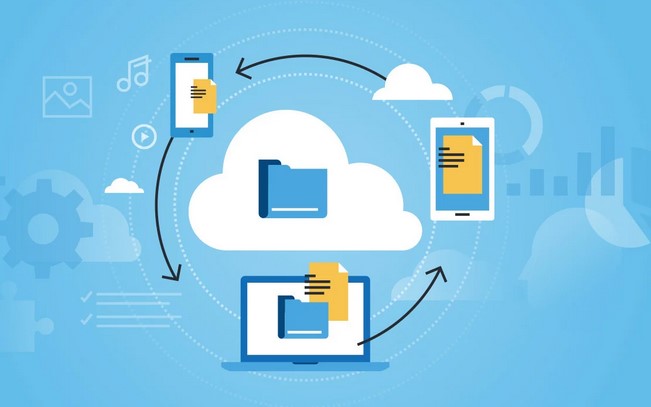
To understand cloud storage without getting bogged down in networking jargon, let’s use a simple analogy. Think of your phone or laptop’s internal hard drive as a physical filing cabinet in your office. It is fast and secure, but if you leave the office, you can’t read those papers.

Cloud storage replaces that physical cabinet with a secured, heavily guarded digital locker network managed by tech providers. When you save a file to the cloud, you are renting a tiny piece of space on an industrial-grade server that is constantly connected to the internet.

Your files are broken down, securely scrambled via data encryption, and held ready for you. Whenever you log in from your phone, tablet, or web browser, the app instantly unscrambles the data, giving you easy file access from anywhere on Earth.

The Best Cloud Storage Apps of 2026: The Top Contenders

The cloud landscape has matured significantly. The best apps this year focus heavily on cross-platform synchronization, automated mobile backups, and intelligent search capabilities. Here are the top platforms dominating the industry.

1. Google Drive (The King of Convenience)

If you already possess a Gmail account, you are already using Google Drive. It is arguably the most versatile personal cloud storage platform on the market because it acts as a fully functional workspace.

  • The Standout Feature: Unmatched real-time collaboration. Multiple users can edit documents, spreadsheets, and presentations simultaneously without creating messy duplicate files.

  • Storage Value: Google offers a very generous 15GB free tier out of the box, though remember this space is shared across your Gmail inbox and Google Photos.

2. Microsoft OneDrive (The Ultimate Productivity Partner)

For anyone operating a Windows laptop or relying on the Microsoft Office ecosystem for work, OneDrive is an absolute no-brainer choice.

  • The Standout Feature: Deep Windows integration. OneDrive behaves exactly like a native folder on your computer. It utilizes “Files On-Demand,” meaning you can see your entire file library without it taking up a single megabyte of your local hard drive space until you click to open a file.

  • Ecosystem Tie-In: Upgrading to a Microsoft 365 personal subscription gives you premium access to Word and Excel alongside a massive 1TB of cloud storage.

3. Apple iCloud+ (The Invisible Apple Enabler)

If your pocket contains an iPhone, your wrist wears an Apple Watch, and your desk holds a Mac, you shouldn’t look anywhere else. iCloud+ is built specifically to operate seamlessly in the background of the Apple ecosystem.

  • The Standout Feature: Complete device mirroring. It automatically backs up your camera roll, application data, messages, and device settings without requiring you to open an app or flip a manual switch.

  • The Catch: It offers a tiny 5GB free tier that fills up almost instantly, and the user experience degrades significantly if you try to access your files from an Android device or a Windows PC.

4. pCloud & Proton Drive (The Privacy-First Alternatives)

For users who are uncomfortable letting massive tech conglomerates host their personal documents, alternative services have skyrocketed in popularity.

  • Proton Drive: Based out of Switzerland, this app utilizes zero-knowledge encryption. This means your files are fully encrypted before they leave your device. Not even Proton’s employees can see what you store.

  • pCloud: Famous for its unique financial model, pCloud allows users to purchase lifetime cloud storage plans. You pay a one-time fee instead of a monthly subscription, which can save you hundreds of dollars over a few years.

+--------------------+-------------------+--------------------+---------------------------------------+
| Cloud App          | Free Storage Tier | Paid Tier Starts   | Best Suited For                       |
+--------------------+-------------------+--------------------+---------------------------------------+
| **Google Drive**   | 15 GB             | $1.99/mo (100 GB)  | General users, Android, Collaboration |
| **OneDrive**       | 5 GB              | $1.99/mo (100 GB)  | Windows users, Office 365 integration  |
| **iCloud+**        | 5 GB              | $0.99/mo (50 GB)   | Dedicated Apple Ecosystem users       |
| **pCloud**         | 10 GB             | Lifetime Options   | Long-term value, Media streaming      |
| **Proton Drive**   | 5 GB              | $4.99/mo (200 GB)  | Security-first, Privacy advocates     |
+--------------------+-------------------+--------------------+---------------------------------------+

Insider Insights: Choosing Your Sync Strategy

💡 Pro Tip: Mirroring vs. Streaming Files

When setting up a cloud desktop app, look closely at the sync settings. Mirroring downloads copies of all cloud files directly onto your hard drive (great for offline access, bad for storage space). Streaming keeps files on the web server and only pulls them down when you click them, saving massive amounts of local disk space.

Over my years optimizing storage systems, the single biggest mistake I see beginners make is assuming cloud storage is a substitute for a true backup strategy.

If you accidentally delete a critical file on your phone, and that folder is linked to your cloud app, the app will instantly delete the cloud copy too! Always make sure your chosen application features a file versioning or “trash bin” system that keeps historical versions of your files for at least 30 days.

Taking Control of Your Digital Footprint

We live in an era where our smartphones generate high-definition memories, massive work documents, and endless digital clutter every single day. Trying to manage all of that local data on a single phone or laptop is a recipe for performance slowdowns and stressful low-storage warnings.

By offloading your heavy lifting to one of these top cloud storage apps, you grant yourself the ultimate modern luxury: peace of mind. Your files remain protected against physical accidents, computer crashes, or lost phones, while remaining entirely accessible at the tap of a screen.

Over to You!

Which cloud app are you currently using to keep your files organized? Have you run out of your free storage allowance yet, or are you looking to switch platforms for better privacy? Drop a comment below and share your experiences—I’d love to help you find the perfect setup!

Cloud Computing

Source:https://images.indianexpress.com

You are standing at the airport baggage carousel, watching the crowd thin out as the conveyor belt slows to a grinding halt. Your suitcase is nowhere to be seen. A wave of helplessness hits your stomach—a feeling shared by millions of travelers every year.

A few years ago, during a hectic tech conference transfer, that exact nightmare happened to me. But instead of panicking at the lost luggage counter, I pulled out my phone, smiled, and told the airline agent exactly which terminal, floor, and baggage room my suitcase was sitting in.

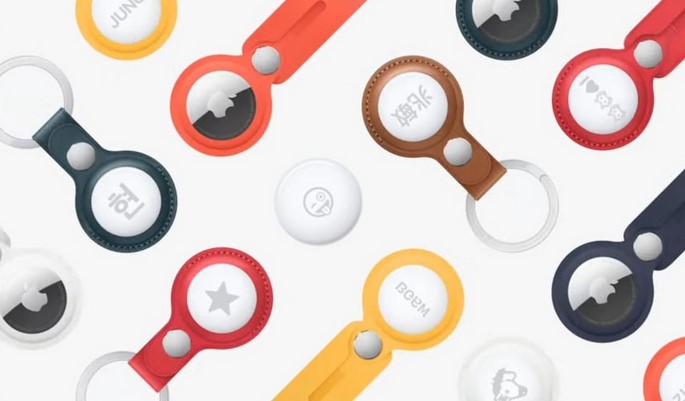
Over my decade-long journey evaluating consumer hardware and wireless networks, I have witnessed smart trackers evolve from quirky, unreliable Bluetooth keyfinders into sophisticated, global recovery networks. Today, these tiny discs are fundamentally rewriting the rules of personal security and asset protection.

Whether you are a chronic key-loser or a frequent flyer looking to safeguard your expensive gear, let’s explore how these intelligent devices work, how to choose the right network, and how to use them safely in 2026.

The Invisible Mesh: How Smart Trackers Actually Work

To understand how a tiny device with a battery the size of a coin can broadcast its location across thousands of miles, let’s use a simple analogy. Think of a smart tracker like a message in a bottle thrown into a massive, crowded digital ocean.

The tracker itself does not have a built-in GPS chip or a costly cellular data plan; doing so would drain its tiny battery in a matter of days. Instead, it constantly whispers a unique cryptographic ping via Bluetooth Low Energy (BLE).

When any stranger walking past happens to have a compatible smartphone in their pocket, their phone securely hears that whisper. The stranger’s phone acts as a digital courier, instantly stamping the location coordinates and uploading them to the cloud. You open your app, and voila—your missing keys appear on the map, even if you are on the other side of the planet.

Choosing Your Digital Ecosystem: Apple vs. Android vs. Tile

The hardware itself is only as powerful as the crowd of smartphones supporting it. When investing in smart trackers, you aren’t just buying a piece of plastic; you are choosing a specific crowdsourced locator network.

1. The Global Giants: Apple Find My Network

Apple’s ecosystem remains an absolute powerhouse due to sheer density. Because every active iPhone, iPad, and Mac participates in the network by default, the tracking resolution is incredibly precise. If you lose an item in a bustling city center, chances are an iPhone will pass within thirty feet of it every few seconds.

2. The Open Horizon: Google Find My Device

Google’s refreshed tracking network has leveled the playing field for Android users. Leveraging billions of Android smartphones worldwide, this network provides exceptional coverage. Third-party manufacturers now build custom tracking tags specifically tailored to integrate directly with Android’s native location architecture.

3. The Cross-Platform Veteran: Tile and Life360

Tile pioneered this entire product category. While it doesn’t boast the automatic OS-level integration of Apple or Google, it bridges the gap perfectly for households split between iOS and Android. Its tracking relies entirely on users who have the dedicated app installed, making it highly effective in dense suburban environments.

+--------------------------+-----------------------------------+-----------------------------------+
| Network Platform         | Primary Strength                  | Ideal User Base                   |
+--------------------------+-----------------------------------+-----------------------------------+
| Apple Find My            | Unparalleled global crowd density | Dedicated iOS/Mac users           |
| Google Find My Device    | Massive worldwide Android reach   | Android ecosystem enthusiasts      |
| Tile / Third-Party Open  | True cross-platform versatility    | Mixed-OS households & platforms   |
+--------------------------+-----------------------------------+-----------------------------------+

Moving Beyond Bluetooth: The Magic of Ultra-Wideband (UWB)

If you have ever tried to find your wallet under a couch cushion, you know standard Bluetooth only tells you that the item is somewhere in the room. This is where Ultra-Wideband (UWB) technology completely changes the game.

Unlike Bluetooth, which estimates distance based on signal strength, UWB operates like a micro-radar system. It measures the exact time it takes for radio waves to travel between your phone and the tracker.

This enables a feature known as Precision Finding. Your smartphone screen transforms into a live compass, showing you exact directional arrows and distance tracking down to the literal inch. It can literally guide your hand straight to the exact crevice where your car keys are hiding.

Insider Insights: Privacy, Stalking Protection, and Safety

💡 Pro Tip: Look for Anti-Stalking Standardization

In 2026, the tech industry has finally unified its security protocols. Major platforms now utilize cross-platform unwanted tracking alerts. If an unknown tracker (regardless of whether it’s an AirTag or an Android-compatible badge) moves with you over a certain duration, your smartphone will alert you automatically and help you locate it.

While I love this technology for securing backpacks and camera gear, we have to talk about the critical dark side: unwanted tracking. Because these devices are so small and effective, bad actors have occasionally weaponized them for stalking.

When setting up your tracking tags, always ensure your phone’s emergency location alerts are turned on. If you ever discover an unknown tracker tucked inside your belongings, you can quickly disable it by twisting the back cover open and popping out the coin-cell battery.

Maximizing the Utility of Your Trackers

To get the absolute most out of your hardware investment, don’t just throw them loosely into a pocket. Here are a few strategic deployment strategies I use personally:

  • The Luggage Infiltration: Don’t hang your tracker on the outside of your suitcase via a flimsy plastic luggage tag where it can be easily ripped off or discarded by baggage handlers. Instead, tuck it deep inside the inner lining fabric or sew it into an interior pocket.

  • The Commuter Bicycle Hidden Mount: Bicycle theft is rampant in urban environments. Specialized manufacturers now create water-bottle cages and reflector mounts with hidden, hollow compartments designed specifically to camouflage a tracking tag out of plain sight.

  • The Digital Wallet Insert: Standard tracking pucks are too thick for a slim wallet. Opt for specialized, credit-card-shaped smart trackers that slide seamlessly into card slots without creating an awkward, bulky bulge.

The Ultimate Peace of Mind

At the end of the day, smart trackers are not a magic forcefield that prevents theft from happening in the first place. What they do provide, however, is an invaluable layer of visibility in an unpredictable world.

They take the frantic guesswork out of daily life, saving you from those stressful mornings spent turning your house upside down looking for your keys, or those anxious flights wondering if your luggage made the connection. For a relatively small one-time investment, you are buying structural peace of mind—and in our fast-paced modern lives, that is worth every penny.

Over to You!

Have you already integrated smart trackers into your daily routine, or are you still on the fence about data privacy concerns? Have you ever had a crazy experience where a tracking tag actually saved your lost gear? Share your stories and drop your questions in the comments below—I’d love to hear how you keep your belongings safe!

Gadgets

Source:https://cdn.mos.cms.futurecdn.net

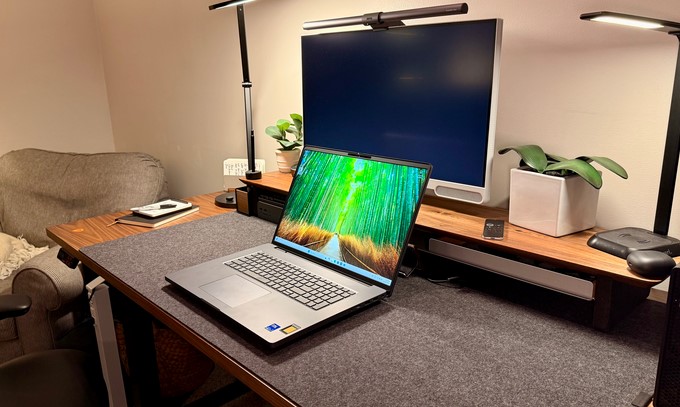
Imagine you are deep in the zone, finalizing a complex 4K video project or rendering a 3D architectural blueprint on a tight deadline. Suddenly, your screen freezes, the cooling fans scream like a jet engine, and the dreaded blue screen of death appears. Hours of unsaved work vanish into thin air.

If this nightmare sounds familiar, you aren’t alone; it is the classic breaking point where a standard consumer laptop buckles under heavy load.

Over the past ten years of testing enterprise hardware and optimizing production pipelines, I have seen hundreds of professionals make the mistake of buying high-end gaming laptops or premium ultrabooks, expecting them to handle brutal, sustained technical workloads. They soon learn the hard way that raw speed numbers on a retail box don’t tell the whole story.

To bridge this gap, let’s explore the heavy-duty world of workstation laptops—the unsung heroes of modern computing that are purpose-built to turn raw data into creative masterpieces without breaking a sweat.

What Sets Workstation Laptops Apart From Regular PC Gear?

To understand why a professional system costs more than a standard retail laptop, let’s use a simple analogy. Think of a high-end consumer laptop like a sleek, turbocharged sports car. It is incredibly fast, looks beautiful, and can zip down a highway at amazing speeds.

A mobile workstation, on the other hand, is a heavy-duty semi-truck with a racing engine. It might not be as razor-thin, but it is built to carry tons of cargo up a steep mountain for 24 hours straight without overheating.

Unlike standard PCs, workstation laptops are engineered for sustained maximum performance and absolute data integrity. They don’t throttle down their performance after twenty minutes of heavy lifting because their cooling systems and internal power distribution networks are built for industrial-grade endurance.

The Hidden Engine: ISV Certification and Enterprise Hardware

The true value of a mobile workstation lies beneath the chassis, specifically in components you won’t find at a typical electronics store. This hardware is tailored for stability, reliability, and precision.

Independent Software Vendor (ISV) Certification

This is the most critical feature that most beginners overlook. An ISV certification means major software giants like Adobe, Autodesk, SolidWorks, and Blackmagic Design have rigorously tested that specific laptop model with their code.

When you run software on an ISV-certified machine, you are virtually guaranteed that your application will not crash due to hardware driver conflicts.

Specialized Internal Components

  • ECC Memory (Error-Correcting Code): Standard RAM can occasionally suffer from “bit-flips” caused by electromagnetic interference, leading to system crashes. ECC RAM constantly scans and corrects these micro-errors in real-time, protecting your multi-hour renders from random corruption.

  • Professional GPUs: Instead of standard gaming graphics cards, professional rigs use enterprise graphics processing units (like NVIDIA’s RTX Ada Generation or AMD Radeon Pro). These GPUs use drivers optimized for mathematical precision and massive VRAM (Video RAM) capacity rather than just high video game frame rates.

  • Multi-Layer Thermal Management: Advanced vapor chambers, dual-outlet exhaust vents, and liquid metal thermal compounds ensure these machines keep running cool even when pushing pixels for days on end.

+----------------------+-----------------------------------+-----------------------------------+
| Feature              | Standard/Gaming Laptop            | Workstation Laptop                |
+----------------------+-----------------------------------+-----------------------------------+
| GPU Drivers          | Optimized for gaming frame rates  | Optimized for CAD & math precision|
| RAM Options          | Standard Non-ECC Memory           | Error-Correcting Code (ECC) RAM   |
| Certifications       | None                              | ISV Certified (Adobe, Autodesk)   |
| Reliability          | Built for intermittent use        | Built for 24/7 sustained workloads|
+----------------------+-----------------------------------+-----------------------------------+

Finding Your Perfect Match: Who Needs This Kind of Power?

Not every creative or technical professional requires the same internal configuration. Matching your daily software applications to the correct hardware tier will save you thousands of dollars.

The Visual Creators (Video Editors, Colorists, Animators)

If your daily life revolves around DaVinci Resolve, Premiere Pro, or After Effects, your primary focus should be a gorgeous display panel and massive memory bandwidth.

Look for machines featuring OLED or Mini-LED displays with 100% DCI-P3 color gamut accuracy. Pair this with at least 64GB of RAM and a dedicated GPU boasting a high VRAM count to cache complex timelines smoothly.

The Engineers and Architects (CAD, BIM, 3D Modeling)

For those drafting structural designs in AutoCAD, Revit, or Maya, single-core processor speed and specialized GPU drivers take priority.

The software needs to calculate the precise physics of millions of polygons simultaneously. A workstation equipped with an enterprise-grade processor and specialized workstation drivers ensures your lines stay straight and your 3D viewports remain silky smooth.

The Data Scientists and AI Developers

With the massive surge in machine learning, many data pros now train neural networks locally before deploying them to the cloud. If you are coding in Python, running Docker containers, or manipulating huge datasets, you need maximum CPU cores alongside top-tier storage speeds (PCIe Gen 4 or Gen 5 NVMe SSDs).

Insider Insights: What the Spec Sheets Won’t Tell You

💡 Pro Tip: Check the TGP (Total Graphics Power)

When shopping for a mobile workstation, do not look only at the model name of the graphics card. Check its TGP wattage rating. A graphics chip restricted to 60W in a super-thin laptop will perform significantly slower than the exact same graphics chip allowed to draw 140W inside a thicker, properly cooled workstation chassis.

Over my years reviewing these machines, the most common pitfall I see users tumble into is chasing portability at the expense of performance. If a laptop is thinner than a smartphone, physics dictates it cannot dissipate heat effectively under heavy multi-threaded rendering workloads.

If your work keeps you chained to a desk 80% of the time, lean toward a slightly thicker 16-inch or 17-inch form factor. Your rendering times will thank you.

Investing in Your Digital Craft

Upgrading to a dedicated mobile workstation is a significant financial investment, with entry prices often sitting well above standard consumer options. However, for serious professionals, time is literally money.

If a more powerful system cuts your daily rendering times in half and prevents even a single catastrophic system crash during a client presentation, the machine easily pays for itself within the first few months.

By prioritizing ISV certification, robust cooling, and enterprise-grade internal hardware, you are buying peace of mind and the creative freedom to push your digital craft to its absolute limit.

Over to You!

What software tools form the absolute backbone of your daily professional workflow? Are you currently running into hardware bottlenecks, slowdowns, or frustrating system crashes? Let’s talk in the comments below—tell me what you are building, and I will help you figure out the ideal hardware specs for your budget!

Laptops

Source:https://cdn.shopify.com

You are rushing out the door, your iPhone displays a comfortable 82% battery, yet fifteen minutes into your commute, it abruptly dies. Or perhaps you have noticed that typing text feels oddly sluggish, and opening your camera takes what feels like an eternity.

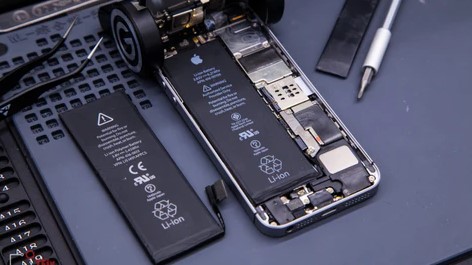
These are not signs that your phone is obsolete; it is simply your hardware crying out for a fresh chemical heart. Having spent over a decade dismantling hardware and tracking mobile supply chains, I have seen thousands of consumers prematurely abandon perfectly fine devices.

In 2026, keeping your phone longer is both financially smart and environmentally responsible. Let’s pull back the curtain on the actual iphone battery replacement cost this year, mapping out exactly what you should pay based on your model, and how to avoid getting ripped off.

Why Is Your iPhone Slowing Down? The Science of Aging Lithium

To understand why your battery behaves this way, think of a lithium-ion battery like a brand-new kitchen sponge. When you first buy it, it holds an incredible amount of water (or electrical charge) and releases it easily.

As time passes and you use it hundreds of times, the sponge degrades. It becomes stiff, holds less water, and fails to absorb spills quickly.

In technical terms, this is called chemical aging. As chemical impedance increases within an older battery, it loses its ability to deliver peak power spikes. To prevent your phone from crashing completely during high-demand tasks, iOS intentionally slows down your processor—a feature known as performance throttling.

The Official iPhone Battery Replacement Cost Breakdown

Apple has adjusted its out-of-warranty service structures. The total bill depends heavily on the architecture of your specific device, as newer titanium frames and thermal internal layouts require more meticulous precision to open and reseal.

If you walk straight into an Apple Store or an Apple Authorized Service Provider (AASP) without insurance coverage, here is what the official pricing landscape looks like:

The 2026 Apple Price Tiers

  • The Latest Generation ($119): This tier applies to the top-tier flagship hardware, including the iPhone 17 series and high-end variations.

  • The Modern Classics ($99 – $109): This covers a broad sweet spot of mainstream devices, including the entire iPhone 16 series, iPhone 15, iPhone 14, and legacy flagships down to the iPhone 12.

  • The Budget & Vintage Tier ($69): This wallet-friendly bracket handles entries like the iPhone SE (second and third generation) alongside older legacy designs.

+--------------------------------------+-----------------------+
| iPhone Model Tier                    | Official Apple Cost   |
+--------------------------------------+-----------------------+
| iPhone 17 Series / Flagships         | $119                  |
| iPhone 16, 15, 14, 13 & 12 Series    | $99 - $109            |
| iPhone SE (All Gens) & Older Models  | $69                   |
+--------------------------------------+-----------------------+

Three Distinct Roads: Apple vs. Independent Shops vs. DIY

You aren’t strictly locked into the Apple ecosystem for maintenance anymore. The Right to Repair movement has completely shifted the industry, giving consumers alternative pathways. Each path comes with distinct trade-offs.

1. The Official Apple Route (Premium Peace of Mind)

Going through official channels guarantees you receive a genuine OEM part. The technicians possess specialized diagnostic software and precision tools designed to preserve your device’s native water resistance.

🛡️ The AppleCare+ Exception: If you pay for AppleCare+ monthly or remain under its active window, your battery replacement is completely free ($0), provided your overall Battery Health capacity metric has slipped below 80%.

2. Trusted Independent Repair Shops (The Balanced Alternative)

High-quality local specialists usually charge anywhere from $50 to $85, depending on the age of your phone. Established shops utilize premium third-party cells that closely match original capacities.

The major catch? Since Apple pairs serial numbers directly to the logic board, third-party repairs on newer models might trigger an “Important Battery Message” notification in your settings app, indicating the part cannot be verified. While this doesn’t impact phone performance, it will disable your native battery health percentage monitor.

3. Self-Service DIY Kits (High Risk, Low Budget)

For tech-savvy enthusiasts, purchasing a dedicated self-repair kit costs roughly $30 to $60. Companies supply the necessary replacement cell alongside specialized suction handles, magnetic maps for organizing tiny screws, and custom heat pads to soften internal industrial adhesives.

⚠️ The Swollen Battery Trap

If you notice your screen subtly lifting away from the metal frame, or see faint white pressure spots bleeding into your display panel, do not press down on the phone. Your battery has likely outgassed and swollen. This is a physical safety hazard; puncture risks can lead to thermal runaway. Take it straight to a professional immediately.

Expert Advice: Should You Repair or Upgrade in 2026?

A common question people ask me is: “Is spending $100 on an older phone a waste of money?”

My rule of thumb relies on simple math. If your iPhone is an iPhone 12 or newer, opting for a battery replacement is almost always the smarter choice. For roughly 10% of the price of a brand-new upgrade, you instantly restore 100% of your system’s original processing speeds and eliminate daily battery anxiety.

Only consider upgrading your entire phone if your display is severely cracked, your logic board is failing, or your device has dropped off Apple’s official iOS system update compatibility list.

Over to You!

Where is your current battery health sitting right now? Head over to Settings > Battery > Battery Health & Charging to check your percentage. If you have any questions about strange phone behaviors or repair choices, drop them in the comments below—let’s figure it out together!

Mobile Technology

A few years ago, I sat in a crowded hospital waiting room, watching a frantic nurse juggle a stack of paper charts while trying to comfort a visibly distressed patient. It was a classic scene of healthcare gridlock—brilliant medical minds bogged down by administrative quicksand. Fast forward to today, and that same hospital is triaging patients using smartphones.

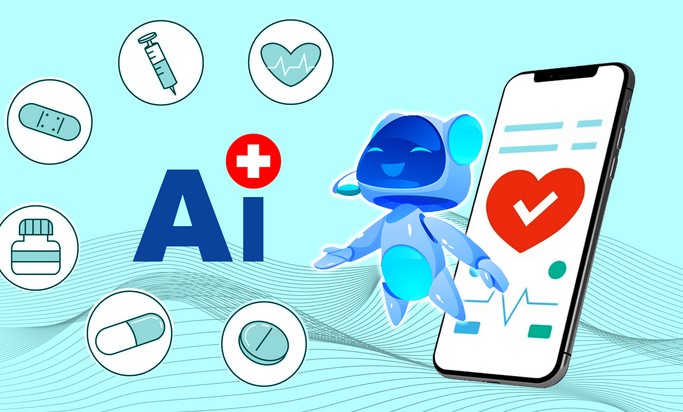
Over my ten years writing at the intersection of technology and medicine, I have witnessed plenty of overhyped buzzwords. But the shift we are seeing right now isn’t just hype. AI powered healthcare apps are fundamentally changing how we manage our health, turning passive patients into proactive CEOs of their own well-being.

Whether you are a patient looking to navigate your health journey or a tech enthusiast curious about the future of medicine, let’s dive into how artificial intelligence is making healthcare smarter, faster, and deeply personalized.

How AI Powered Healthcare Apps are Rewriting the Medical Playbook

For decades, medicine followed a reactive formula: you get sick, you visit a doctor, you get a prescription. It was a system built on fixing broken parts. Today, intelligent applications are flipping this script entirely.

To understand how an AI app works, think of it as a digital co-pilot for your doctor. It doesn’t replace the pilot (the physician), but it scans the horizon, processes millions of data points in milliseconds, and flags potential turbulence before it happens.

These apps leverage Machine Learning (ML) and Natural Language Processing (NLP) to analyze everything from your daily step count to the subtle irregularities in your heart rate. By transforming raw data into actionable medical insights, they allow for a level of continuous care that was physically impossible a decade ago.

The Core Pillars of Smart Patient Care

The universe of digital health is vast, but the most impactful apps generally fall into three distinct categories. Let’s break down how they actually work under the hood.

1. Virtual Assistants and Symptom Checkers

We have all been guilty of typing symptoms into a search engine at 2 AM, only to be convinced we have a rare, tropical disease. AI symptom checkers offer a sane alternative.

Instead of throwing a wall of terrifying search results at you, these apps use clinical decision support systems to ask dynamic, follow-up questions. They mimic the initial triage process of an emergency room, guiding you to the right level of care—whether that’s an urgent care visit or just a good night’s sleep.

2. Chronic Disease Management and Remote Monitoring

Managing conditions like diabetes or hypertension used to mean keeping messy paper logs and hoping for the best between six-month checkups.

Modern mHealth (mobile health) applications connect directly to wearable devices to track biomarkers in real-time. If your blood glucose spikes or your blood pressure drops, the app doesn’t just log it—it alerts your medical team automatically.

3. Mental Health Companions

The shortage of mental health professionals is a global crisis. While they cannot replace human therapists, AI chatbots trained in Cognitive Behavioral Therapy (CBT) principles provide a crucial safety net. They offer immediate, stigma-free coping mechanisms for anxiety and stress at any hour of the day.

+-------------------------+-----------------------------------+-----------------------------------+
| App Type                | Core Technology                   | Primary Benefit                   |
+-------------------------+-----------------------------------+-----------------------------------+
| Symptom Checkers        | Natural Language Processing (NLP) | Reduces unnecessary ER visits      |
| Chronic Monitoring      | Predictive Analytics & IoT        | Prevents dangerous health spikes  |
| Mental Health Bots      | Generative AI & CBT Algorithms    | 24/7 accessible emotional support |
+-------------------------+-----------------------------------+-----------------------------------+

Behind the Screen: The Tech Making it Possible

When you interact with a clean, user-friendly interface on your phone, there is an incredibly sophisticated tech stack working behind the scenes.

  • Predictive Analytics: This is the crystal ball of healthcare tech. By evaluating your historical health data, the AI can predict potential health risks before symptoms even manifest.

  • Computer Vision: Have you ever taken a photo of a strange rash and uploaded it to a dermatology app? That’s computer vision at work. The app compares your photo against a database of millions of dermatological images to assist in identifying anomalies.

  • Electronic Health Record (EHR) Integration: The best apps don’t operate in a vacuum. They securely feed data directly into your hospital’s main database, ensuring your primary care doctor always has the full picture.

Insider Insights: The Reality of Digital Medicine

💡 Pro Tip: Look for FDA Clearance

Not all health apps are created equal. If you are using an app to manage a serious medical condition, check if it has received FDA clearance (or equivalent regulatory approval in your country). There is a massive difference between a wellness tracker that counts steps and a regulated digital therapeutic that calculates insulin dosages.

While I am incredibly optimistic about this technology, my decade in the industry has taught me to look at the gaps as closely as the breakthroughs. The elephant in the room is always data privacy.

Healthcare data is highly sensitive, making it a prime target for cyber threats. When choosing an app, always look for explicit mentions of HIPAA compliance and robust data encryption standards. If an app’s privacy policy is vague about how your health data is monetized, walk away.

Embracing the Future of Healthcare

We are moving away from a world where health is something you only think about when you are sick. The integration of ai powered healthcare apps into our daily routines marks the beginning of truly democratized, personalized medicine.

These tools are shortening the distance between feeling a symptom and receiving accurate care. They free up doctors to focus on what they do best—the human, empathetic element of healing—while the algorithms handle the heavy lifting of data analysis.

The future of medicine isn’t waiting in a hospital corridor; it’s sitting right there in your pocket.

What’s Your Take?

Have you ever used an AI app to check a symptom or track your health goals? Did it give you peace of mind, or did it make you miss traditional doctor visits? Drop your thoughts and experiences in the comments below—I’d love to chat with you about it!

Artificial Intelligence