You are standing at a grocery store checkout or about to present to a major client, and you realize the one document you absolutely need is sitting on a physical hard drive on your desk at home. A decade ago, this blunder meant a frantic drive back or a ruined afternoon.
Today, that panic is obsolete. I recently found myself on a remote beach, needing to verify a tax document for an unexpected audit. I didn’t open a laptop; I pulled out my phone, tapped a button, and accessed an encrypted file stored thousands of miles away in seconds.
Having spent over ten years building remote production pipelines and reviewing consumer software, I have watched cloud computing evolve from an experimental tech luxury into an invisible utility. In 2026, choosing from the top cloud storage apps isn’t just about finding a digital attic to dump old photos—it is about creating a seamless, friction-free gateway to your entire digital life.
Whether you are a complete beginner trying to clear up space on your phone or a seasoned pro looking to optimize your workflow, let’s break down the best cloud storage applications available this year.
What is the Cloud? The “Digital Locker” Analogy
To understand cloud storage without getting bogged down in networking jargon, let’s use a simple analogy. Think of your phone or laptop’s internal hard drive as a physical filing cabinet in your office. It is fast and secure, but if you leave the office, you can’t read those papers.
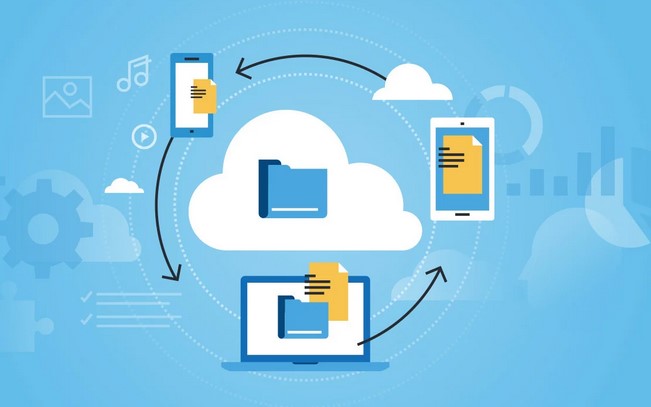
Cloud storage replaces that physical cabinet with a secured, heavily guarded digital locker network managed by tech providers. When you save a file to the cloud, you are renting a tiny piece of space on an industrial-grade server that is constantly connected to the internet.
Your files are broken down, securely scrambled via data encryption, and held ready for you. Whenever you log in from your phone, tablet, or web browser, the app instantly unscrambles the data, giving you easy file access from anywhere on Earth.
The Best Cloud Storage Apps of 2026: The Top Contenders
The cloud landscape has matured significantly. The best apps this year focus heavily on cross-platform synchronization, automated mobile backups, and intelligent search capabilities. Here are the top platforms dominating the industry.
1. Google Drive (The King of Convenience)
If you already possess a Gmail account, you are already using Google Drive. It is arguably the most versatile personal cloud storage platform on the market because it acts as a fully functional workspace.
-
The Standout Feature: Unmatched real-time collaboration. Multiple users can edit documents, spreadsheets, and presentations simultaneously without creating messy duplicate files.
-
Storage Value: Google offers a very generous 15GB free tier out of the box, though remember this space is shared across your Gmail inbox and Google Photos.
2. Microsoft OneDrive (The Ultimate Productivity Partner)
For anyone operating a Windows laptop or relying on the Microsoft Office ecosystem for work, OneDrive is an absolute no-brainer choice.
-
The Standout Feature: Deep Windows integration. OneDrive behaves exactly like a native folder on your computer. It utilizes “Files On-Demand,” meaning you can see your entire file library without it taking up a single megabyte of your local hard drive space until you click to open a file.
-
Ecosystem Tie-In: Upgrading to a Microsoft 365 personal subscription gives you premium access to Word and Excel alongside a massive 1TB of cloud storage.
3. Apple iCloud+ (The Invisible Apple Enabler)
If your pocket contains an iPhone, your wrist wears an Apple Watch, and your desk holds a Mac, you shouldn’t look anywhere else. iCloud+ is built specifically to operate seamlessly in the background of the Apple ecosystem.
-
The Standout Feature: Complete device mirroring. It automatically backs up your camera roll, application data, messages, and device settings without requiring you to open an app or flip a manual switch.
-
The Catch: It offers a tiny 5GB free tier that fills up almost instantly, and the user experience degrades significantly if you try to access your files from an Android device or a Windows PC.
4. pCloud & Proton Drive (The Privacy-First Alternatives)
For users who are uncomfortable letting massive tech conglomerates host their personal documents, alternative services have skyrocketed in popularity.
-
Proton Drive: Based out of Switzerland, this app utilizes zero-knowledge encryption. This means your files are fully encrypted before they leave your device. Not even Proton’s employees can see what you store.
-
pCloud: Famous for its unique financial model, pCloud allows users to purchase lifetime cloud storage plans. You pay a one-time fee instead of a monthly subscription, which can save you hundreds of dollars over a few years.
+--------------------+-------------------+--------------------+---------------------------------------+
| Cloud App          | Free Storage Tier | Paid Tier Starts   | Best Suited For                       |
+--------------------+-------------------+--------------------+---------------------------------------+
| **Google Drive**   | 15 GB             | $1.99/mo (100 GB)  | General users, Android, Collaboration |
| **OneDrive**       | 5 GB              | $1.99/mo (100 GB)  | Windows users, Office 365 integration  |
| **iCloud+**        | 5 GB              | $0.99/mo (50 GB)   | Dedicated Apple Ecosystem users       |
| **pCloud**         | 10 GB             | Lifetime Options   | Long-term value, Media streaming      |
| **Proton Drive**   | 5 GB              | $4.99/mo (200 GB)  | Security-first, Privacy advocates     |
+--------------------+-------------------+--------------------+---------------------------------------+
Insider Insights: Choosing Your Sync Strategy
💡 Pro Tip: Mirroring vs. Streaming Files
When setting up a cloud desktop app, look closely at the sync settings. Mirroring downloads copies of all cloud files directly onto your hard drive (great for offline access, bad for storage space). Streaming keeps files on the web server and only pulls them down when you click them, saving massive amounts of local disk space.
Over my years optimizing storage systems, the single biggest mistake I see beginners make is assuming cloud storage is a substitute for a true backup strategy.
If you accidentally delete a critical file on your phone, and that folder is linked to your cloud app, the app will instantly delete the cloud copy too! Always make sure your chosen application features a file versioning or “trash bin” system that keeps historical versions of your files for at least 30 days.
Taking Control of Your Digital Footprint
We live in an era where our smartphones generate high-definition memories, massive work documents, and endless digital clutter every single day. Trying to manage all of that local data on a single phone or laptop is a recipe for performance slowdowns and stressful low-storage warnings.
By offloading your heavy lifting to one of these top cloud storage apps, you grant yourself the ultimate modern luxury: peace of mind. Your files remain protected against physical accidents, computer crashes, or lost phones, while remaining entirely accessible at the tap of a screen.
Over to You!
Which cloud app are you currently using to keep your files organized? Have you run out of your free storage allowance yet, or are you looking to switch platforms for better privacy? Drop a comment below and share your experiences—I’d love to help you find the perfect setup!
