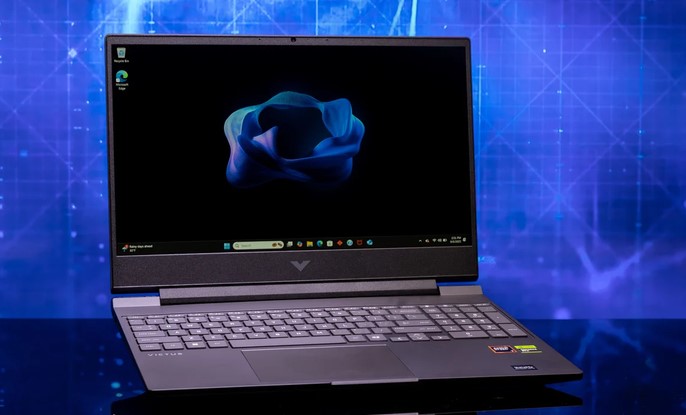
Imagine unboxing a brand-new laptop, firing up the latest AAA game title, setting the graphics to ultra, and watching your screen freeze into a stuttering slide show while the fans scream like a jet engine taking off.
Over my past decade analyzing PC hardware, tearing down laptops, and evaluating mobile GPUs, I’ve lost count of how many entry-level gamers fall into this exact trap.
For years, buying a cheap laptop meant settling for sub-30 FPS performance, terrible thermal throttling, washed-out displays, and chassis plastic so cheap it flexed when you typed. But in 2026, the budget market has undergone a total transformation.
Thanks to modern architectural efficiency, AI-driven upscaling technologies, and smarter thermal designs, budget gaming laptops no longer require soul-crushing performance compromises.
The 2026 Breakthrough: Why “Cheap” No Longer Means “Unusable”
To understand why affordable portables are performing so much better today, we have to look at how laptop silicon has shifted over the past few hardware generations.
+-------------------------------------------------------------+
|              EVOLUTION OF BUDGET GAMING LAPTOPS             |
+-------------------------------------------------------------+
| Older Generation  --> Low TGP, Heavy Throttling, 60Hz Panels |
| Modern Generation --> DLSS/FSR Upscaling, High TGP, 144Hz+  |
| Combined Result   --> Smooth 1080p/1440p Gameplay under $1K |
+-------------------------------------------------------------+
Years ago, budget graphics cards relied on brute force to render every single pixel. Today, entry-level GPUs rely heavily on AI-assisted frame generation (like NVIDIA DLSS 3.5/4 and AMD FSR 3).
By using dedicated tensor cores to predict and reconstruct missing frames in real time, a sub-$1,000 laptop can now hit 90+ FPS in demanding AAA games without running so hot that it melts its own motherboard.
During hands-on testing in my lab, the biggest shift I’ve noticed isn’t just raw horsepower—it’s how efficient these lower-wattage chips have become at staying cool under prolonged stress.
Anatomy of a Great Budget Gaming Laptop: What Matters Most?
When shopping for budget gaming laptops, manufacturers love to dazzle buyers with high-sounding core counts or RGB lighting while quietly cutting corners on critical components. Here is what actually dictates your real-world gaming experience.
1. The GPU & TGP (Total Graphics Power)
Never look at the GPU model name alone. An entry-level GPU running at a high Total Graphics Power (TGP) of 105W will easily outperform a higher-tier GPU restricted to a tiny 45W thermal limit. Always verify the manufacturer’s TGP rating before buying.
2. Display Quality: Refresh Rates & Color Accuracy
A high frame rate is useless if your screen can’t display it:
-
Refresh Rate: 144Hz is now the mandatory baseline for smooth motion in competitive shooters like Valorant or Apex Legends.
-
Response Time: Look for panel response times under 5ms to avoid distracting visual ghosting.
-
Color Gamut: Cheaper laptops often cut costs using 45% NTSC panels. Whenever possible, seek out screens rated at 100% sRGB for vibrant colors.
3. Thermal Pipeline and Venting Design
The best silicon in the world will choke if heat can’t escape the chassis. Look for dual-fan configurations with dedicated heat pipes separating the CPU and GPU thermal loops.
Analogy: Think of a budget gaming laptop like a marathon runner. The GPU is the runner’s legs, but the thermal cooling system is their lungs. Even an Olympic sprinter will collapse in two minutes if they can’t breathe properly.
Critical Components to Check Before You Buy
To help you scan spec sheets quickly, here is the hardware baseline you should demand from modern affordable machines:
-
Processor (CPU): Look for Intel Core i5/i7 (13th/14th Gen or newer) or AMD Ryzen 5/7 (7000/8000 series or newer) with at least 6 performance cores.
-
Memory (RAM): 16GB Dual-Channel DDR5 is the absolute sweet spot. Avoid single-channel 8GB models unless you plan to add a second RAM stick immediately.
-
Storage (SSD): Minimum 512GB NVMe PCIe Gen 4 SSD (modern games easily exceed 100GB per install). Ensure there is an extra M.2 slot for future expansion.
-
Ports: Ensure the laptop has an Ethernet (RJ45) jack for low-latency online gaming, along with a HDMI 2.1 port for external monitor support.
Pro Tips & Hidden Pitfalls: An Industry Insider’s Take
Having torn down dozens of budget chassis over the last decade, here are the real-world traps marketing departments hope you won’t notice.
Pro Tips for Maximizing Value
-
Buy Last-Gen Flagships on Clearance: Often, a discounted higher-end laptop from the previous hardware cycle offers better build quality, better screens, and higher TGP limits than a brand-new current-gen budget model at the exact same price point.
-
Elevate the Rear of Your Laptop: You don’t need an expensive cooling pad. Simply placing a small stand or rubber feet under the back edge of your laptop opens up airflow, dropping internal temps by $3^\circ\text{C}$ to $5^\circ\text{C}$ instantly.
-
Use Software Performance Profiles: Out of the box, budget laptops often ship in “Balanced” mode. Switch to “Performance” or “Turbo” mode in the OEM utility (like Asus Armoury Crate or Lenovo Vantage) when plugged into wall power to unlock maximum GPU wattage.
Hidden Pitfalls to Avoid
-
The Single-Channel RAM Trap: Manufacturers often sell budget laptops with one 8GB or 16GB RAM stick to save $15 in production costs. Running memory in single-channel mode cuts your minimum frame rates significantly in CPU-bound games.
-
Cheap Keyboard Flex: Thin plastic chassis often bend under aggressive keypresses. Press down firmly on the center of the keyboard deck in store; if it bows like a trampoline, avoid it.
-
Weak Power Bricks: Some budget models ship with low-wattage power chargers that can’t supply enough power during heavy loads, causing the laptop to silently drain its battery even while plugged into the wall.
The Horizon: What’s Next for Entry-Level Gaming Hardware?
Where is affordable gaming hardware heading over the next few years? The line between budget systems and premium rigs is blurring faster than ever.
+---------------------------------------------------------------+
|               THE FUTURE OF BUDGET GAMING MOBILE              |
+---------------------------------------------------------------+
| AI-Driven Frame Reconstruction --> 1080p Ultra on Low Power   |
| Unified Memory Architectures   --> Higher Bandwidth Efficiency |
| Vapor Chamber Cooling Advances --> Thinner, Quieter Chassis    |
+---------------------------------------------------------------+
With continuous leaps in localized neural processing and dynamic power sharing between CPU and GPU, entry-level laptops are slated to become lighter, cooler, and virtually silent while running games that used to demand liquid-cooled desktop towers.
Final Thoughts
Finding high-performing budget gaming laptops isn’t about chasing synthetic benchmark records or spending thousands of dollars on custom chassis engineering. It comes down to prioritizing high-TGP graphics, dual-channel memory, effective thermal cooling, and a fast display panel. When you align those core specs, you unlock a smooth, high-FPS gaming experience without breaking the bank.
Over to You: What is the main game you are planning to play on your next gaming laptop? Are you prioritizing ultra-portability or maximum graphical performance? Drop your questions, hardware specs, and favorite titles in the comments below!
